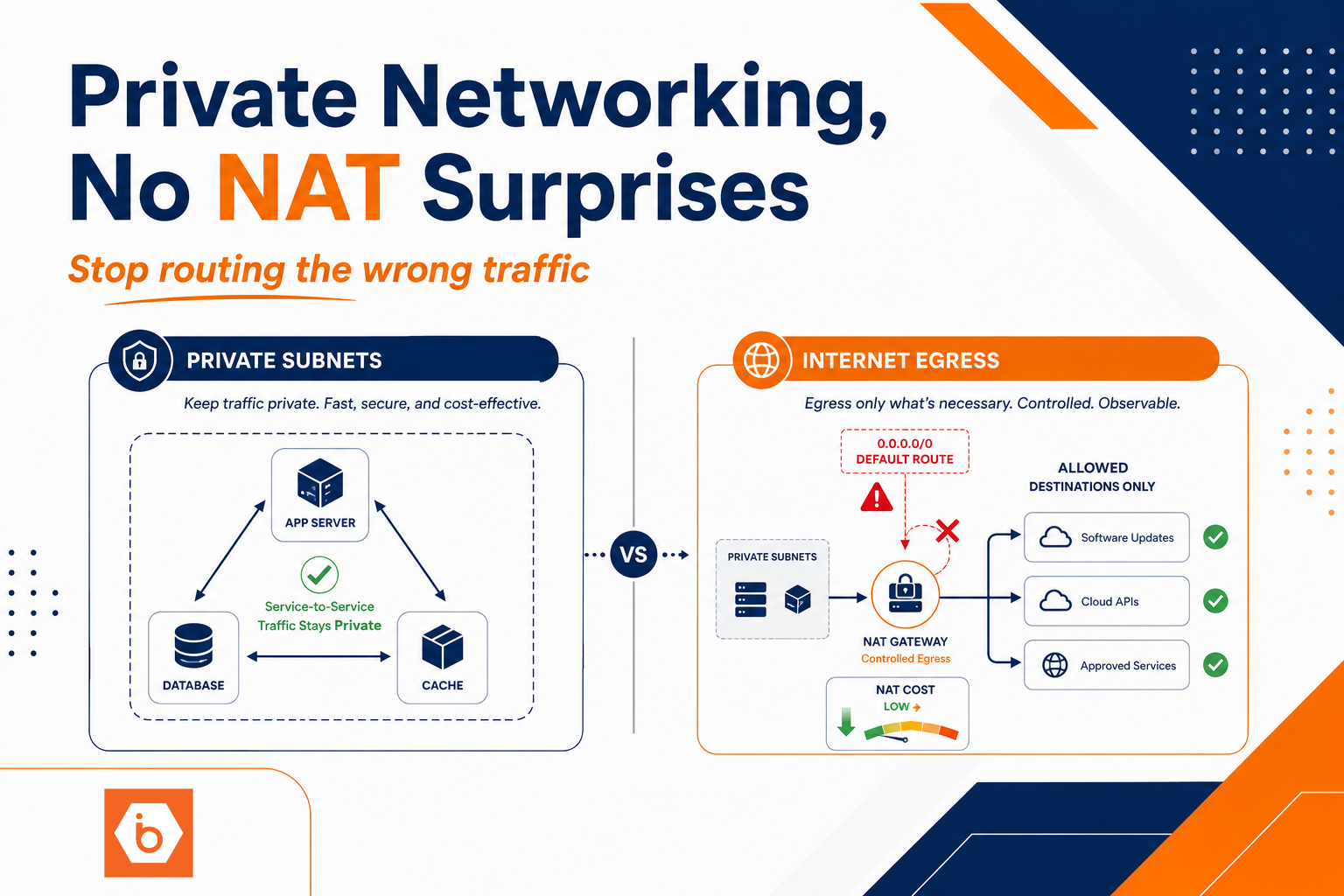

Most teams don’t “overspend on NAT.” They accidentally route the wrong traffic through it and then wonder why the bill spikes while the app feels the same.
The migration took six weeks. Three of them were spent undoing a decision made in the first hour: “Put everything in private subnets, point default route to NAT, done.” It wasn’t done. DNS kept resolving to public endpoints. Service-to-service calls still went out to the internet. Retries multiplied connection churn. And the NAT gateway sat there burning state and throughput like it was the only path to the world.
You want private networking that stays private. That means you design for routing reality, not for “best practices” screenshots.
The NAT bill is usually telling you one thing: you routed the wrong bytes
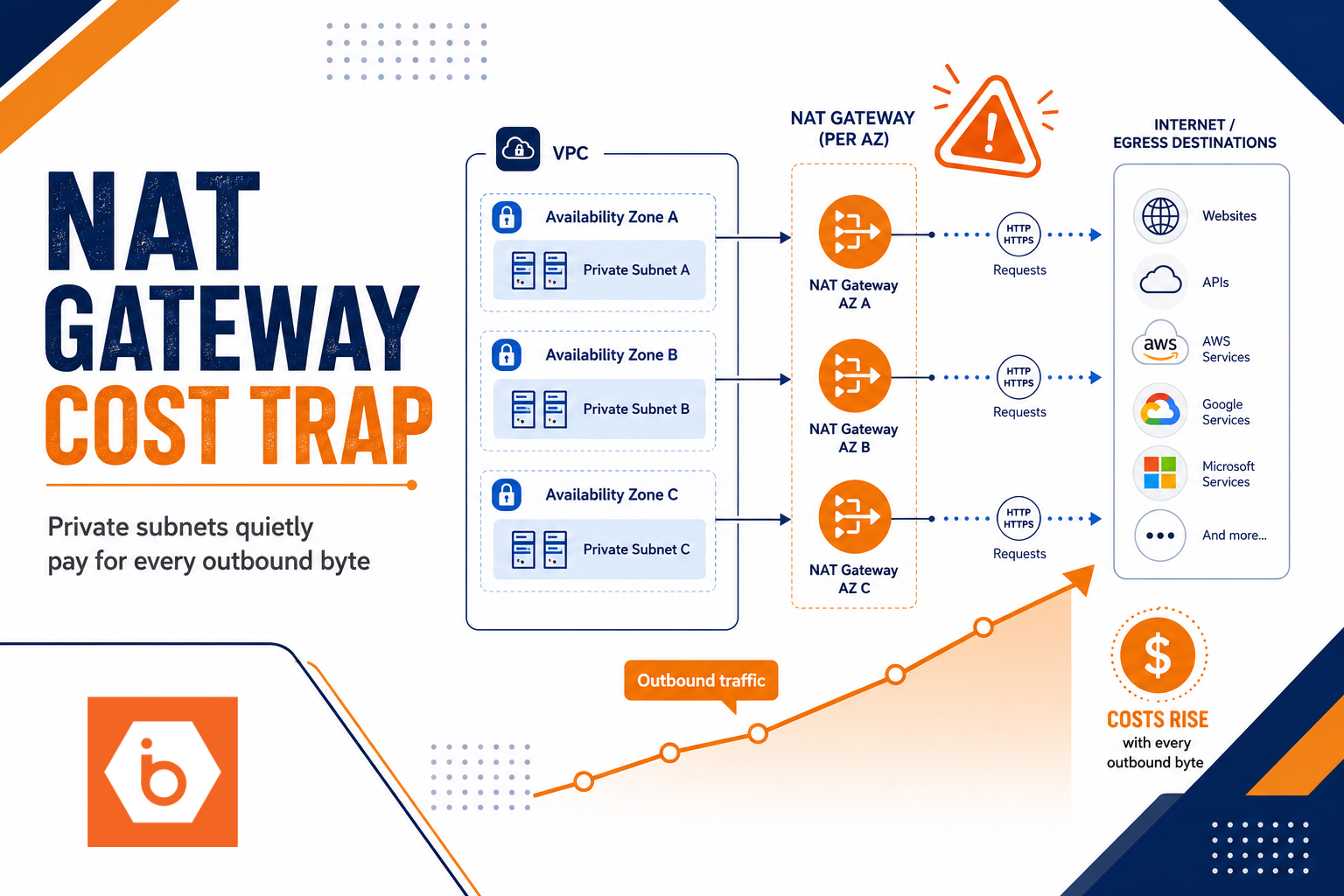
NAT costs track what the NAT device processes and how long it stays active. In cloud setups, you commonly pay for NAT gateway uptime plus data processing, and you also get hit indirectly when connection behavior creates more concurrent flows than you expected.
Here are the usual culprits that create “surprising NAT bills”:
Most teams get this wrong in one specific way: they treat NAT as a background implementation detail. They don’t model connection counts, retries, and DNS resolution paths. They don’t verify that traffic destined for cloud services or SaaS actually goes through private endpoints. So NAT becomes the default escape hatch for every unknown destination.
Before you touch any infrastructure, write down the traffic classes you expect: 1) App to app (east-west) 2) App to managed cloud services (S3-like storage, secrets, logs, registries) 3) App to third-party SaaS APIs 4) DNS and service discovery chatter 5) Health checks, metrics, and background jobs
Your NAT bill usually comes from classes 2, 3, and 4 going out through the wrong route, plus class 1 or 5 unexpectedly going to the internet due to misrouting or public DNS.
Required visual: map your egress paths like you mean it
You cannot fix NAT cost blind. You need a concrete map of where each traffic class goes, and which hops require NAT.
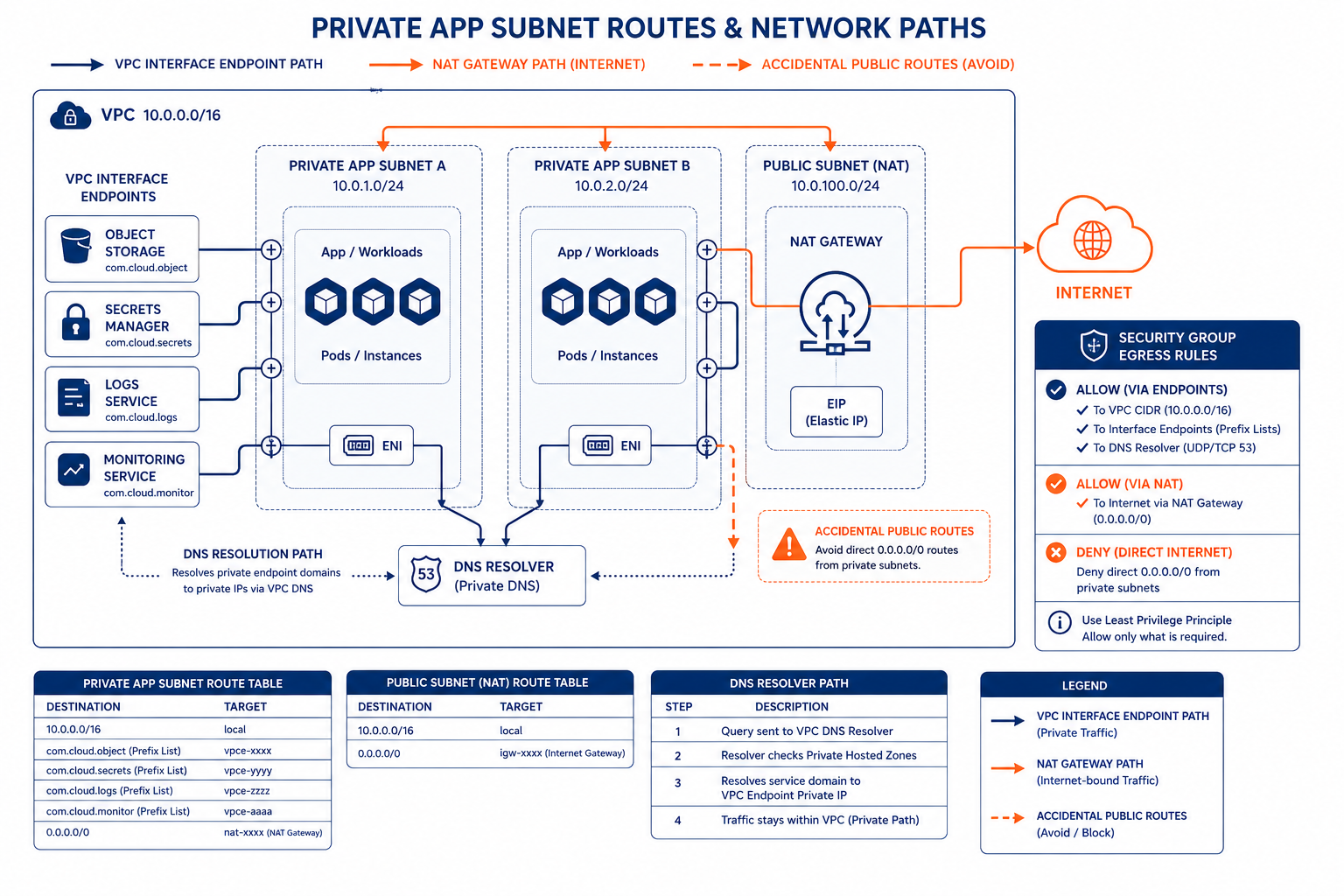
Shows how different traffic classes should route either via private endpoints or via NAT for internet egress
Design rules that stop NAT from becoming your default internet router
The goal is simple: only route to NAT when you truly need internet egress. Everything else should stay on private paths.
1) Replace “NAT for services” with private connectivity
If your app talks to cloud services, use VPC endpoints (interface or gateway style depending on the service) so traffic never leaves the VPC to hit public endpoints. For third-party SaaS, use PrivateLink / private service connectivity if the provider supports it.
This is where most NAT surprises are born. You think you configured private subnets. But your application still resolves service domains to public IPs. Then the traffic goes to the internet, and NAT happily translates it.
DNS is part of networking here. If you don’t make DNS return private endpoint addresses for those service domains, you will still “NAT the internet.”
2) Route selectively, not “0.0.0.0/0 equals NAT”
A single default route to NAT is fine for subnets that truly need internet egress. It is not fine for subnets that should only reach internal networks and managed services via endpoints.
Use separate route tables per subnet role. Keep a tight boundary:
- Private app subnets that only need private service access should not default to NAT.
- Subnets that need internet should have default-to-NAT, but only for the workloads that actually require it.
Also, constrain where possible. If you have peering or VPN, make sure internal CIDRs route locally. If you have internal services behind private IPs, don’t let them fall through to NAT.
3) Control egress destinations with security groups and NACLs
Routing tells packets where to go. Security rules decide whether they can go there.
If you allow broad egress everywhere, you will eventually send something to the wrong place, often during retries or failovers. Tighten egress so only the destinations you expect can leave.
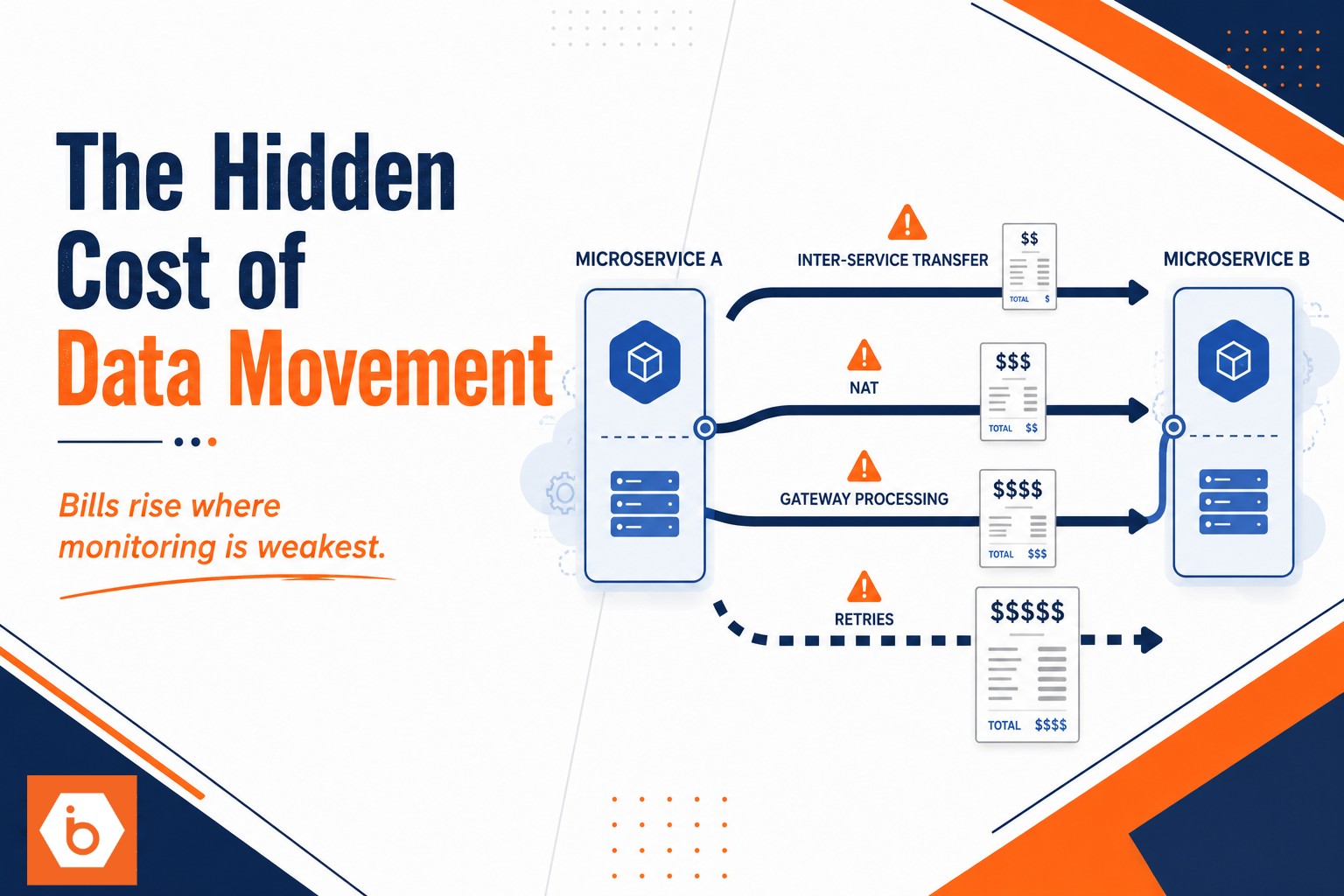
This matters because NAT cost often rises when the system is degrading. When a dependency fails, clients retry more aggressively, connections churn, and suddenly your “normal” traffic pattern turns into “thundering herd through NAT.”
4) Stop NAT churn at the connection layer
NAT state lives per connection. Short-lived connections and high concurrency mean more NAT table entries and more churn. That can increase costs and, worse, cause failures that trigger retries, which then increase churn again.
You reduce churn by controlling connection behavior:
- Use HTTP keep-alive and connection pooling in your services.
- Tune timeouts so you fail fast instead of waiting out long retransmission windows.
- Reduce retry fan-out. Retries should be bounded and jittered.
- Avoid chatty protocols where you can batch requests.
This is not about “performance.” It’s about reducing the number of distinct outbound flows that require NAT state.
Observability: you need NAT metrics, not vibes
Most teams don’t lack dashboards. They lack the right questions.
If you only look at total egress bytes, you miss the churn and port stress patterns that often precede cost spikes. You need visibility into:
- NAT gateway flow counts or connection counts
- NAT processed bytes over time
- Evidence of port exhaustion or high connection concurrency
- Top talkers: which instances or services generate outbound connections
- Destination breakdown: which domains or IP ranges trigger NAT usage
Then you tie it back to deployments. NAT bills often jump after autoscaling, after a dependency change, or after a DNS change. If you can’t correlate “new release” to “new NAT flows,” you’re flying blind.
If you’re running Kubernetes, also watch for pod-level behavior changes: increased replicas, different sidecar config, or a new client library that opens more connections by default.
One real-world pattern: the “DNS resolved to public endpoints” incident
A company I worked with had a clean-looking network diagram: private subnets, NAT gateway for outbound, and endpoints for managed services. The bill still spiked 3x after a release.
The app was using a new DNS resolver configuration. It stopped returning private endpoint IPs for one critical service domain. Everything else stayed private, so they assumed the endpoints were still working. But that one dependency fell back to public DNS, and the fallback path created a lot of short-lived connections due to aggressive retries.
The fix wasn’t “resize NAT.” It was correcting DNS resolution so the service domain mapped to the private endpoint, and tightening retry behavior to stop the churn loop.
Cost modeling you can actually use in planning
You don’t need a perfect model. You need a directional one that catches mistakes early.
Start with two levers: 1) How long NAT runs (hourly cost) 2) How much data it processes and how many concurrent connections it sees (data and flow behavior)
Then add the “multiplier” factor: retries and churn. Even if your payload bytes stay the same, connection churn can increase retransmissions, TLS handshakes, and state pressure.
If you want one practical rule: treat NAT as a scarce resource like database connections. If your architecture can generate 10x more concurrent outbound connections under failure, your NAT bill will reflect that. Design for the failure mode, not the happy path.
For teams building on IBEE, you still apply the same networking discipline. The platform won’t save you from routing mistakes. But you can pair private service connectivity and controlled egress paths with predictable infrastructure spend, so the cost story stays coherent when traffic patterns change.
A concrete plan you can execute today
Do this in order. No hand-waving.
1) Inventory every outbound destination class your workloads use (managed services, SaaS, DNS, internal services, internet browsing). 2) For each class, confirm the actual route and DNS resolution path in production-like environments. You want “private endpoint” for service classes and “NAT” only for true internet egress. 3) Split route tables by subnet role so only internet-required subnets default to NAT. 4) Enable connection pooling and bounded retries in your services, then verify NAT flow counts drop during load tests. 5) Turn on NAT observability and alert on flow count and top talkers, not just bytes.
If you do only one thing today: pick one workload that drives NAT spend, trace one failing dependency call end-to-end (DNS to destination to route), and fix the path so it stops going through NAT for that dependency.