
The migration trap that burns weeks
The migration took six weeks. Three of them were spent undoing a decision made in the first hour.
Your team picked a “similar” compute and “similar” storage. Then reality showed up: the app read data in one pattern, the storage was provisioned for a different pattern, and the DNS cutover was treated like a checkbox instead of a risk-managed change. Every rollback made the next attempt slower because you kept moving the goalposts.
Most teams get this wrong in one specific way: they start with infrastructure inventory and end with cutover. You need to do the opposite. Start with access patterns, failure tolerance, and traffic shape. Then map services.
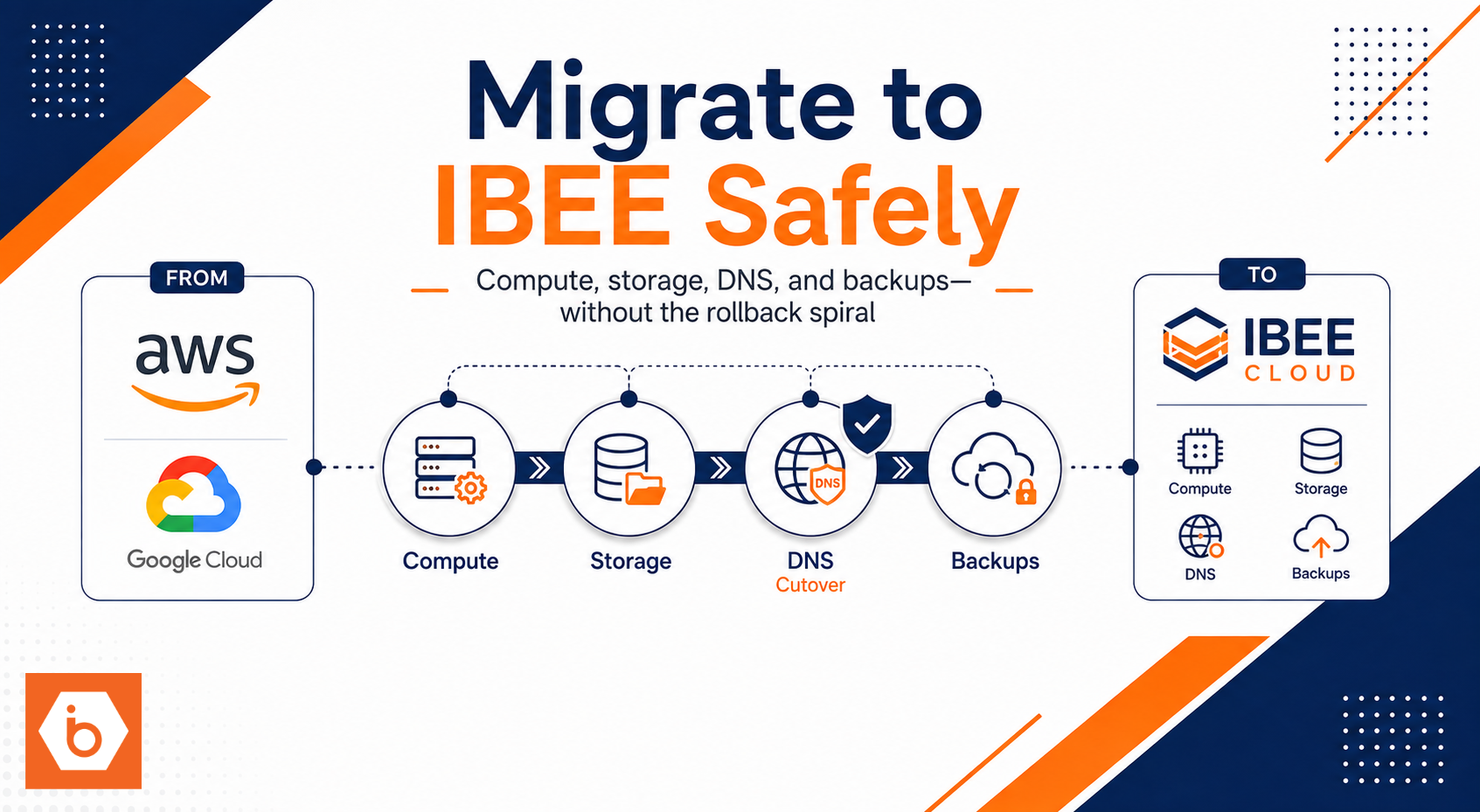
If you do that, migrating a small AWS or GCP production app to IBEE becomes a controlled sequence: move compute, move state, wire DNS, then prove backups by restoring, not by trusting.
Map your app by behavior, not by vendor
Before you touch cloud consoles, write down what your app actually does. Not what the docs say. Not what you think it does. What it does.
Split your workload into three buckets:
First, stateless compute. Web/API servers, background workers, cron jobs, and any service that can restart without losing correctness. These are the easiest part of the migration. You can redeploy them with minimal state.
Second, object data. User uploads, static assets, exported reports, and any “write once, read many” blobs. If you have a bucket in AWS S3 or GCS, this bucket becomes your migration anchor.
Third, block data. Databases, persistent volumes, and anything that expects low-latency random reads. If you have EBS volumes or persistent disks, you need to plan for IOPS and throughput, not just capacity.
Now do the failure tolerance pass. Decide your RPO and RTO targets for each bucket. If you can tolerate 15 minutes of data loss but only want one hour of downtime, your backup cadence and restore process must match that. If you cannot restore within your RTO, you do not have a backup strategy. You have a folder of files.
Finally, define your cutover approach. You will either do a one-time DNS switch or a staged traffic shift. For small apps, DNS cutover is common, but only if you control TTL and you validate health before you flip.
Target architecture: small app, sane boundaries
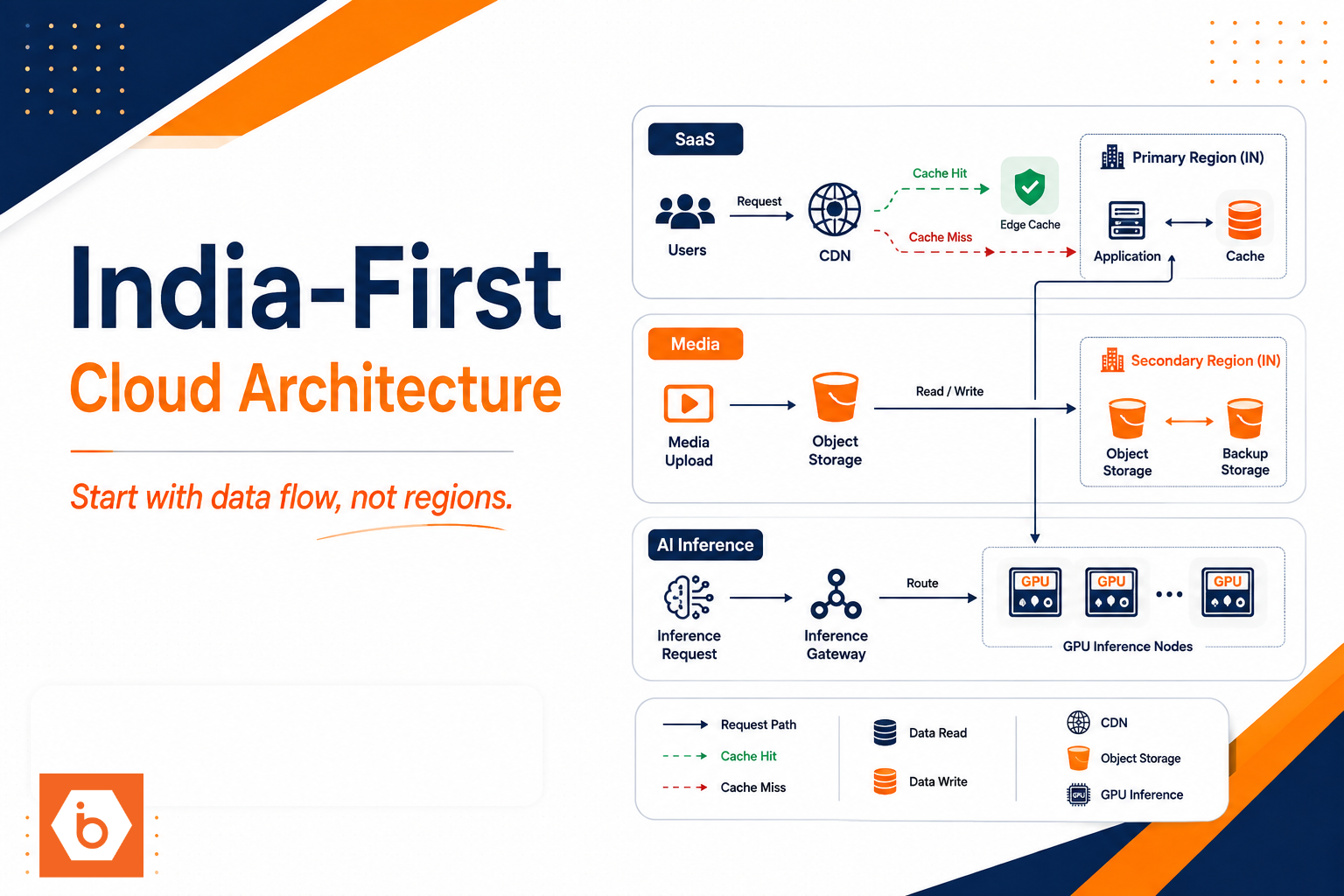
Here is the simplest reference pattern that works for most small production apps.
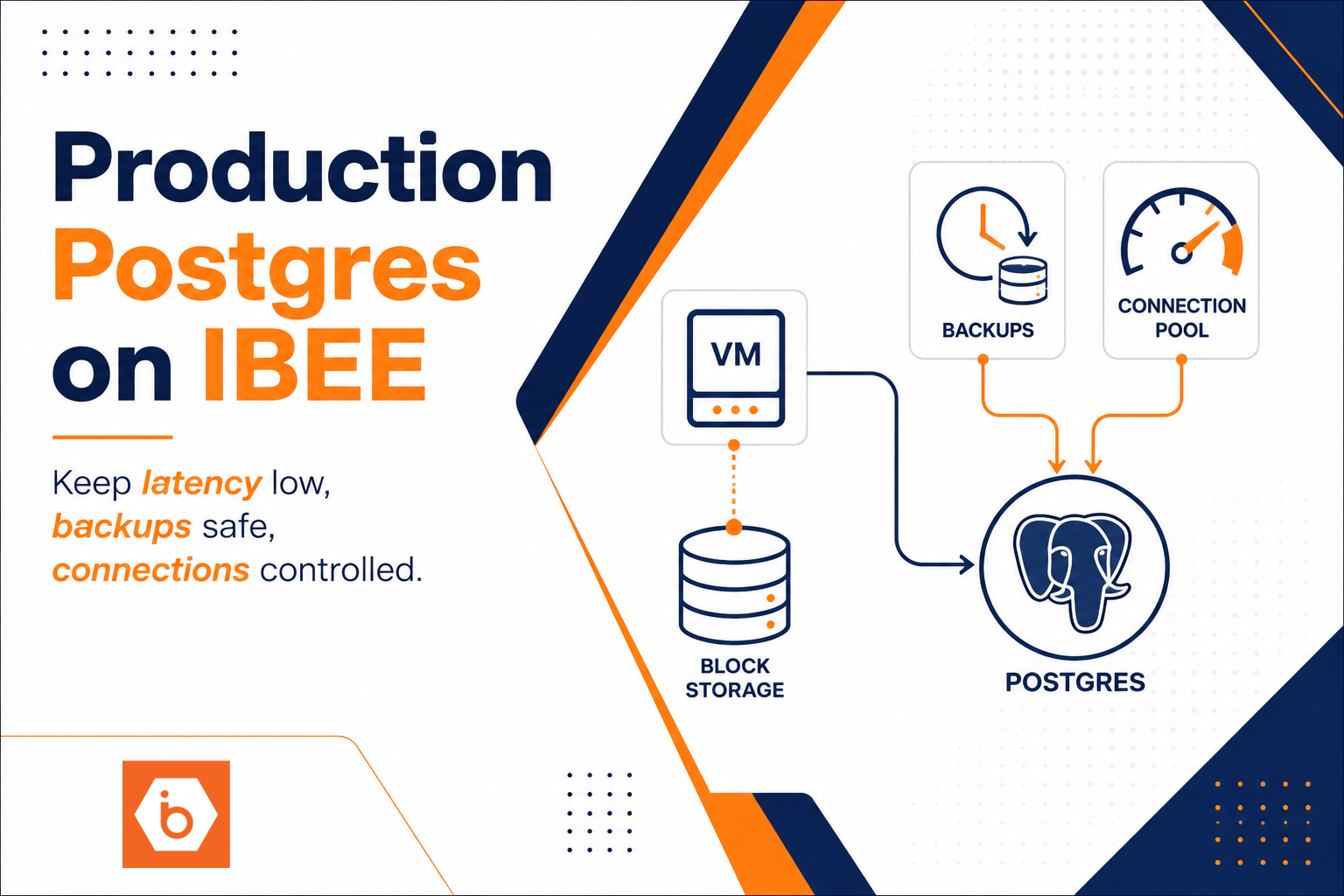
You put an external entry point in front of your services. You route traffic to your compute tier. You keep uploads and assets in object storage. You keep persistent low-level state in block storage or a database you run yourself. You back up stateful components on a schedule and you test restores.
The trick is to keep responsibilities crisp. Your compute tier should not “accidentally depend” on local disk. Your app should not assume object storage semantics that do not exist. Your DNS should not be the first place you discover TLS or certificate issues.
If you are migrating off AWS or GCP, you also need to map identity and secrets. Environment variables are fine for a prototype. For production, you want a consistent way to inject secrets and rotate them without redeploying everything blindly.
Most teams get this wrong when they treat storage as interchangeable. Object storage is not the same as VM disks. Block storage is not the same as object storage. If your app writes user uploads to local disk and serves them later, you will either lose data on redeploy or you will build a migration “fix” that becomes permanent technical debt.
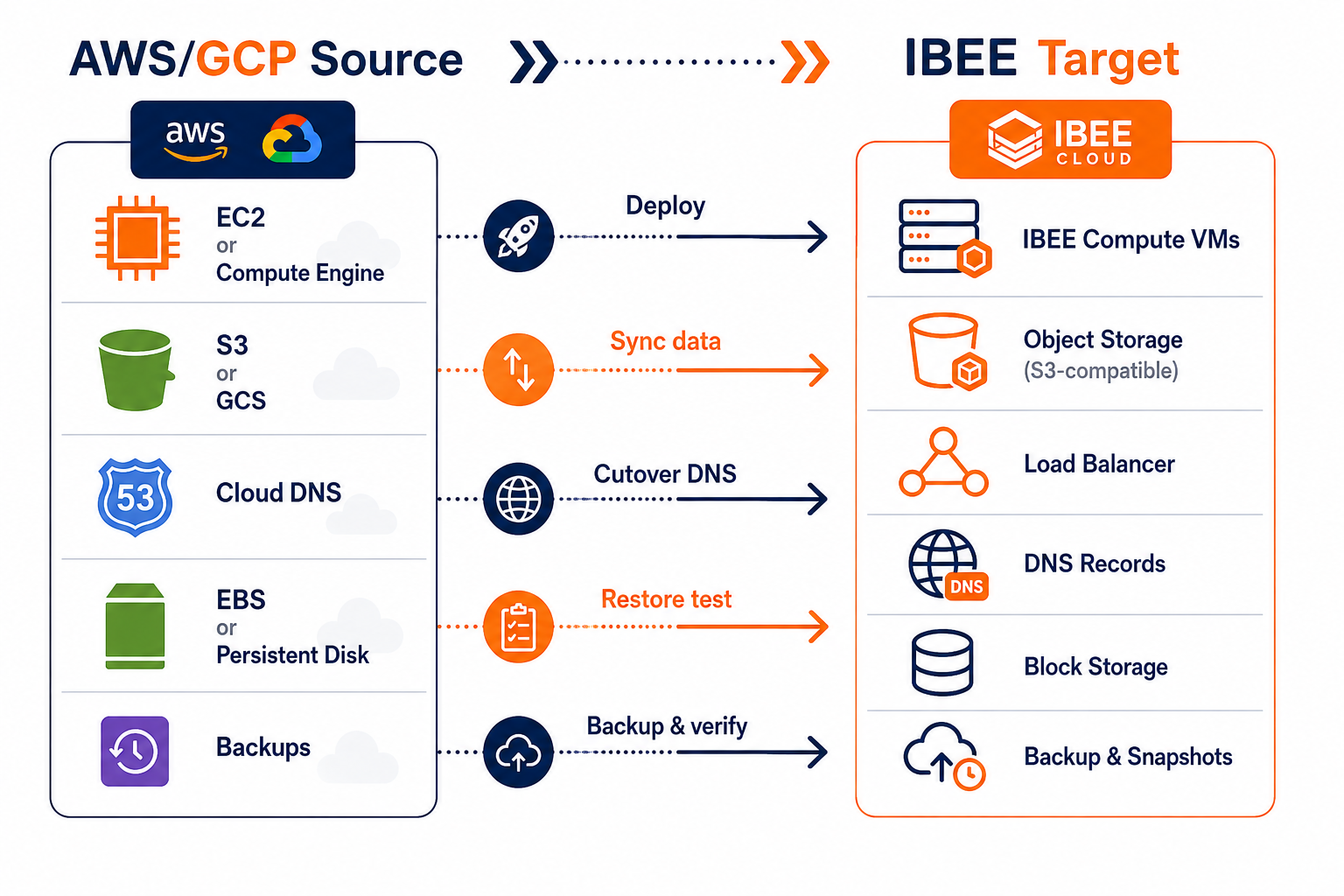
Shows the component-level migration path and where backups and DNS cutover fit.
Compute migration: redeploy first, then validate behavior
For small production apps, the compute migration goal is boring: redeploy your app in the same runtime mode and verify behavior with real requests.
Start by inventorying runtime dependencies. If your app needs system packages, fonts, image processing binaries, or custom CA certificates, list them. Then decide how you will reproduce that environment on IBEE compute.
If you can containerize, do it. Containers reduce “it works on my VM” failures. If you cannot containerize, you still need a repeatable provisioning step. Your migration plan should include a way to recreate instances from scratch, not a one-off manual setup.
Networking comes next. Your app needs outbound access for package installs and third-party APIs. It also needs inbound access through a load balancer or reverse proxy path. Lock down inbound traffic with your firewall rules so you do not accidentally expose admin endpoints.
Then deploy in a way that lets you observe. Enable structured logs and health checks. Your load balancer routing should use health endpoints that reflect real readiness, not just “process is up.” If your readiness check depends on database connectivity, you will catch storage or DB issues before you send traffic.
Cutover readiness is not “the app starts.” It is “the app passes your top 10 user journeys.” For small apps, that usually means a login flow, one upload or write flow, one read flow, and one background job that runs after a write.
One more blunt point: do not attempt to optimize performance during the migration. Your first job is correctness. After you prove correctness, then you right-size.
Storage migration: object first, block second, and prove semantics
Storage is where migrations go to die, because storage bugs show up as partial data loss, missing files, or corrupted volumes. You avoid that by migrating in the right order and by testing semantics.
For object storage, you want S3-compatible behavior. If your source app uses AWS SDK calls, presigned URLs, multipart uploads, or bucket policies, you need the target to match those behaviors closely. With S3-compatible object storage, you can usually keep your application code unchanged and focus on bucket structure, lifecycle rules, and permissions.
Most teams get this wrong when they migrate the data but not the access model. They copy objects, then forget that their app relies on specific object ACL behavior, bucket policy conditions, or presigned URL expiry settings. If your app uses presigned URLs for uploads, test it end-to-end after migration, not just by listing objects.
For uploads and assets, also decide what “consistency” means for your app. If the app writes an object and immediately reads it back, you need to ensure your storage provides the read-after-write behavior your app expects. If your app tolerates eventual consistency, you can simplify. If it does not, you must validate.
For block storage, you need to care about performance characteristics. Databases do not just need capacity. They need IOPS and throughput consistency. If you undersize block storage, your app may appear fine in staging but collapse under production query patterns.
Your migration should include:
- A data copy or volume migration plan for existing block data.
- A clear cutover moment where the app stops writing to the old storage.
- A verification plan that checks both content and application-level invariants.
Then backups. Backups are not a checkbox. They are your safety net when the storage migration is wrong.
DNS cutover: treat it like a production change
DNS cutover is not “update records and wait.” It is a production change with a rollback plan.
Plan your TTL reduction ahead of time. If you cut TTL to 60 seconds the day you migrate, you are still stuck with propagation delays. Many teams do a better job when they reduce TTL 24 to 48 hours before the switch, so the network settles before you flip.
Pre-provision everything on the target side. That means your load balancer endpoint exists and your TLS setup is valid. If you use HTTPS, validate the certificate chain and SNI behavior before you touch DNS. You do not want the first user request to be your certificate test.
Health check validation matters too. If your load balancer health checks fail, DNS cutover will look like an outage. So validate health endpoints and dependencies before switching traffic.
When you cut over, monitor the right metrics. You care about 5xx rates, request latency, error logs, and application-level signals like failed uploads or failed background jobs. If you see failures, rollback is a DNS change too. Have the old records ready.
One real-world example: a small SaaS team once switched DNS to a new environment where their upload endpoint returned 200 but the object write failed silently due to IAM permissions mismatch. Their monitoring only watched HTTP status codes. It took hours to realize uploads were not actually stored. Fix the monitoring to include storage write success signals, not just web responses.
Backups and restore tests: prove you can recover
Backups are the last mile. And it is the mile teams skip until they regret it.
You want an automated backup schedule for both block storage and any stateful components you manage. For small apps, a reasonable baseline is daily backups for block volumes, plus more frequent snapshots if you have strict RPO needs. For object storage, enable versioning and retention so you can recover overwritten or deleted objects.
Then do the part everyone avoids: restore testing.
Pick one backup set, restore it into an isolated environment, and run a verification script. The verification script should check:
- database connectivity and schema integrity,
- that critical rows exist and match expected invariants,
- that uploaded objects can be fetched and served correctly,
- that the app can start and complete your top journeys.
If you cannot restore in your desired RTO, you must adjust. That could mean more frequent backups, faster storage, or a different restore approach. Do not accept “we will figure it out during an incident.” That is how incidents become disasters.
Optional but smart: document the restore runbook with exact commands and target sizes. Your future self will thank you.
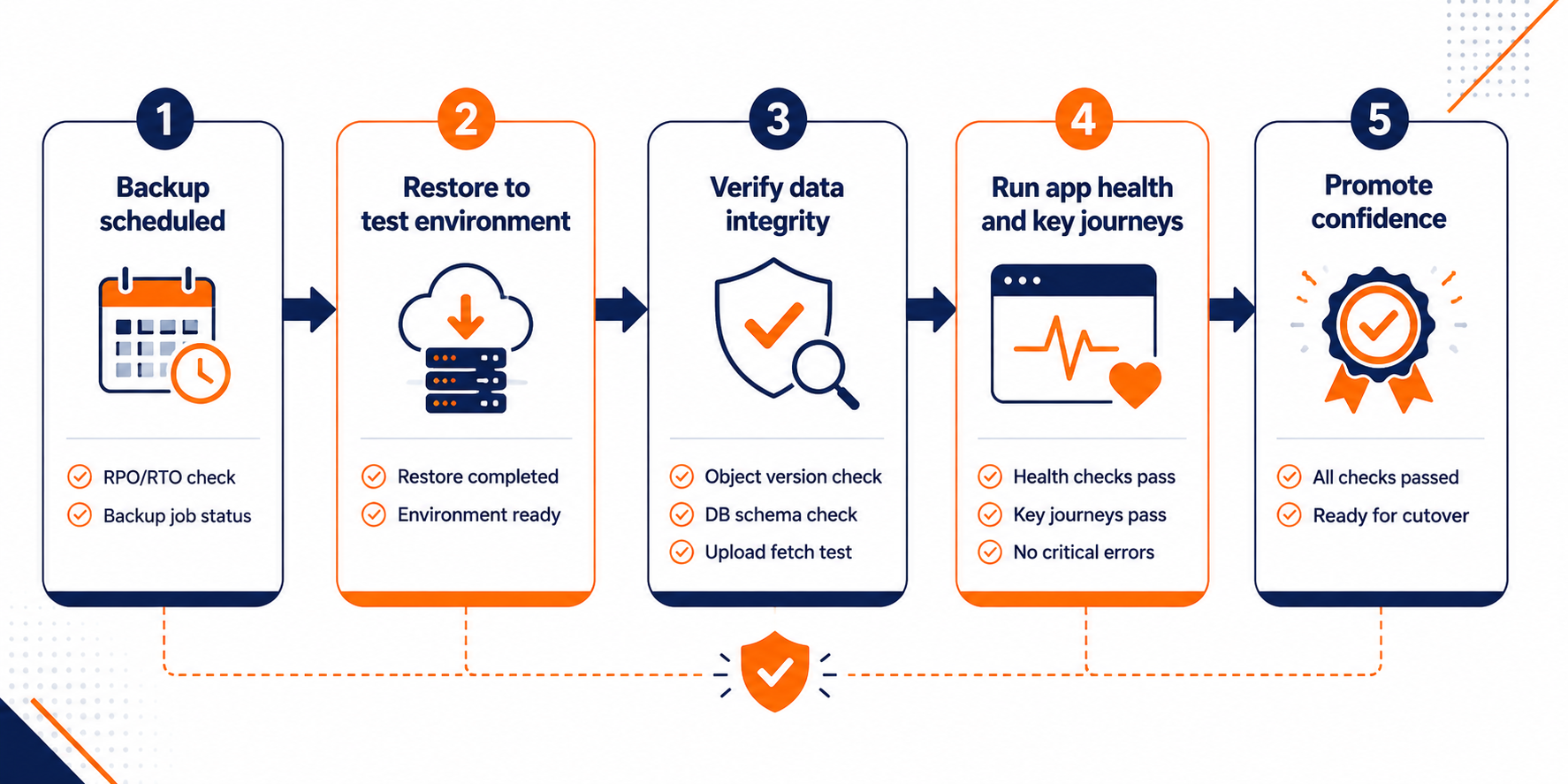
Shows how to go from scheduled backups to a verified restore and application-level validation.
Your migration plan for today (no hand-waving)
- Write your app access pattern doc: list every endpoint and what it reads and writes (object vs block vs compute-local), then attach a rough frequency for each.
- Decide RPO and RTO per stateful component, and set backup cadence accordingly.
- Inventory your current object storage usage (uploads, presigned URLs, lifecycle rules) and your block storage performance assumptions (IOPS needs, throughput needs).
- Reduce DNS TTL in advance and pre-validate TLS and health endpoints on the target load balancer.
- Run one restore test from an existing backup before you migrate production data.
Do that, and your next migration won’t be six weeks of undoing decisions. It will be a controlled cutover with proof behind it.