Are backups easy to forget?
Enable automated backups with daily or weekly schedules to keep recovery points ready without manual effort.

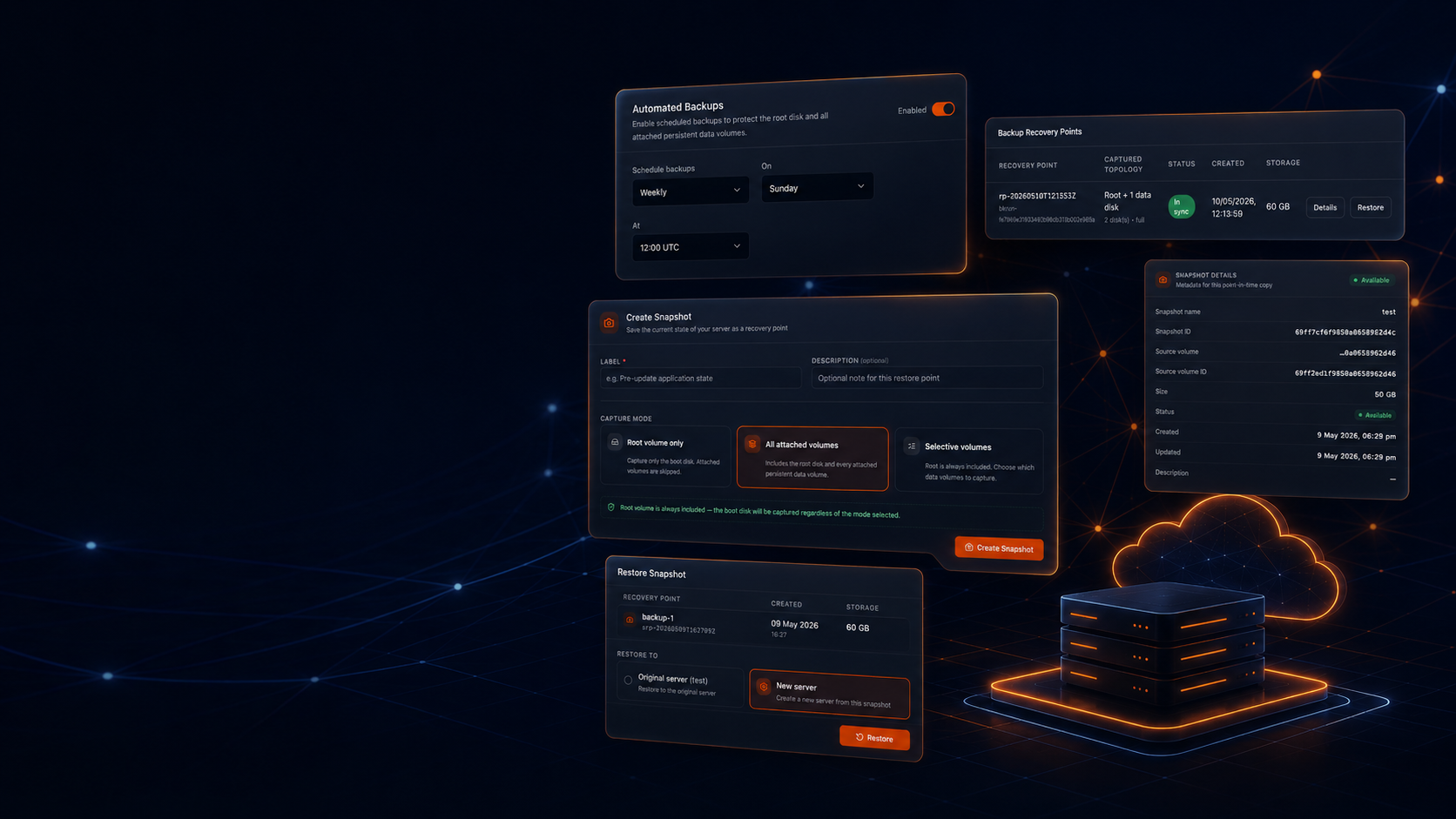
Create manual snapshots before risky changes or enable automated backups for scheduled protection. Restore in place, create a new VM, or recover selected disks when something goes wrong.
Protect root disks with backups, capture attached volumes with snapshots, create rollback points before risky changes, and restore with confidence.
Enable automated backups with daily or weekly schedules to keep recovery points ready without manual effort.
View protected size, captured disks, created time, and status so teams can clean up old snapshots and control recovery storage spend.
Create manual snapshots before deployments, OS updates, migrations, or configuration changes.
Use snapshots to capture the root volume and attached persistent data volumes before important workload changes.
Restore in place, create a new VM from a recovery point, or recover a selected disk depending on the incident.
Review recovery point details, restore previews, and impact warnings before confirming recovery actions.
Snapshots are billed on stored incremental data at ₹4.50 / GB-month. Automated backups are billed on protected root volume size at ₹2.25 / protected GB-month with 7 retention copies included. Prices are exclusive of GST.
₹4.50 / GB-month
Billed on stored incremental data
On-demand point-in-time saves for rollback, cloning, pre-upgrade safety, and long-term recovery points.
₹2.25 / protected GB-month
7 retention copies included
Scheduled protection for daily workload safety, billed on protected root volume size in the current release.
No restore action fee
No restore egress fee
Restore from any save point without per-restore or per-action fees. New VMs and restored volumes are billed as active resources.
Understand the timing, scope, and retention policies to configure the optimal safety layer for your application.
Manual recovery points created before deployments, upgrades, migrations, configuration changes, or cloning workflows.
Scheduled recovery points for always-on protection against accidental loss and operational mistakes.
Example monthly bills assume one full snapshot is stored and automated backups are enabled. Real snapshot bills are often lower because incremental snapshots store changed data.
| Disk size | Snapshot / month | Backup / month | Combined / month |
|---|---|---|---|
| 25 GB | ₹112.50 | ₹56.25 | ₹168.75 |
| 50 GB | ₹225.00 | ₹112.50 | ₹337.50 |
| 100 GB | ₹450.00 | ₹225.00 | ₹675.00 |
| 200 GB | ₹900.00 | ₹450.00 | ₹1,350.00 |
| 500 GB | ₹2,250.00 | ₹1,125.00 | ₹3,375.00 |
Simple recovery pricing with no per-action fees and clear global billing currencies.
From rollback security during releases to routine scheduled root disk protections.
Enable daily automated backups for long-running production workloads that require reliable regular recovery points.
Execute pre-deployment snapshots to roll back instances in minutes if code bugs or schema migrations fail.
Spin up isolated clone VMs from any recovery point for safe data investigation, audit trials, or debugging.
Review created time, captured disks, protected size, status, and topology before executing any restore.
Safety first: View critical impact warnings and filesystem previews before confirming any recovery action.
Execute in-place restorations, create an entirely new VM, or pull individual target disks based on the incident.
Billing scales strictly on protected storage data size, rather than compute size multipliers.
Create snapshots before risky changes or enable automated backups to keep scheduled recovery points for your root disk.
Have more questions?
Contact Our Technical Team→