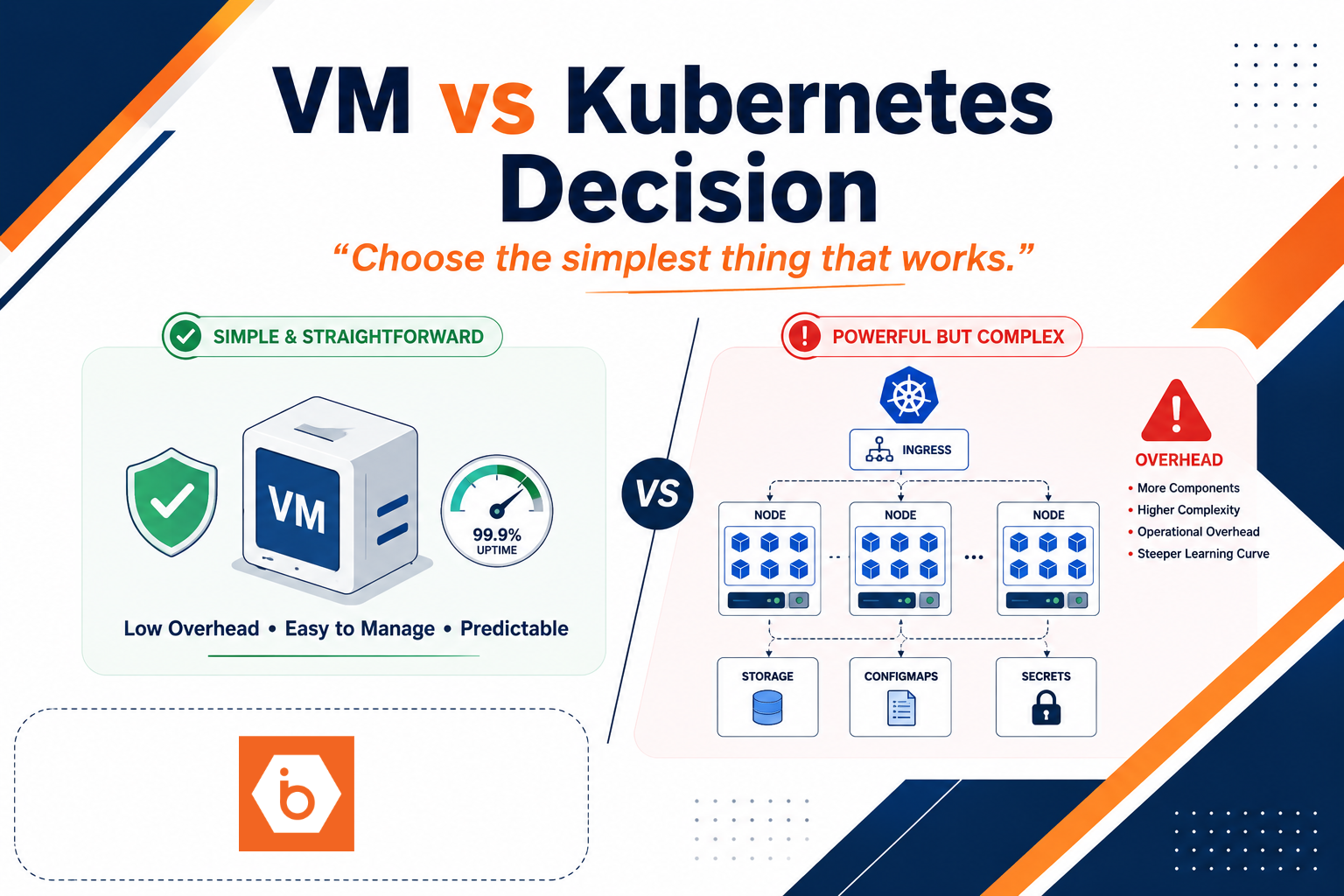

The uncomfortable truth: Kubernetes overhead is real
The migration took six weeks. Three of them were spent undoing a decision made in the first hour.
Your team decided “production equals Kubernetes,” even though the app was basically a single service with a couple of dependencies, stable traffic, and a database that hated being moved. You ended up with a cluster, ingress, networking choices, storage classes, RBAC, secrets handling, monitoring, and a CI/CD pipeline that now needed Kubernetes-native deployment logic. Meanwhile the app didn’t get safer or faster. It got more breakable.
Most teams get this wrong by treating Kubernetes like a runtime replacement for “a server.” Kubernetes is not just where containers run. It is a platform you operate. If your workload does not benefit from orchestration across many instances, you pay the platform tax for no operational upside.
When a VM wins (and why)
A VM is the “one server equals one workload” model. That sounds boring. It is also why VMs keep winning for production apps that do not need distributed orchestration.
A VM is usually the better choice when one of these constraints dominates:
Legacy and non-container-friendly workloads fit VMs because you can run the existing OS plus app stack with minimal change. You avoid rewriting around container filesystem assumptions, kernel module needs, privileged access, or licensing constraints that make containerization expensive.
Low scale and single-instance production fit VMs because Kubernetes shines when you have multiple replicas, frequent scaling events, and many services that benefit from scheduling and service discovery. If you only need a few servers with basic HA, Kubernetes orchestration overhead can outweigh the benefit. You still need health checks, deployments, and rollbacks, but you do not need to run a whole control plane to do it.
Workloads that cannot tolerate rescheduling risk fit VMs because Kubernetes may restart or move pods depending on node pressure, upgrades, or failures. Kubernetes can run stateful workloads, but the operational complexity grows fast. If your app has strict node affinity, relies on stable local behavior, or has performance sensitivity where a reschedule would hurt, VMs keep the behavior predictable.
Compliance and change control can fit VMs because you can map deployment and patching to a simpler audit story: VM image versions, OS patch cycles, controlled rollbacks at the host level, and fewer moving parts for auditors to reason about. Kubernetes can meet compliance too, but you must harden the platform and prove it through policy, RBAC, audit logging, and admission controls. That is work you might not need.
Teams without Kubernetes platform engineering capacity should default to VMs. Managed Kubernetes reduces some toil, but it does not remove the need to understand cluster upgrades, ingress and TLS, storage provisioning, observability, secrets, and security posture. Without platform ownership, you will end up with “tribal knowledge” and outages caused by configuration drift.
Predictable cost and performance can fit VMs when you have steady workloads and small variance. Kubernetes can be cost-effective at scale, but early clusters often overprovision for scheduling headroom and add extra infrastructure components. If you are only running a handful of apps, you can end up paying for fragmentation and platform services your app never asked for.
Here is the trade-off you should not ignore: VMs reduce orchestration power. You lose built-in self-healing across replicas, and you must implement HA patterns yourself (or via load balancers, multiple instances, and monitoring). But if you do not need orchestration, that is not a loss. It is a simplification.
The Kubernetes case: when you actually need orchestration
Kubernetes becomes worth it when your app behaves like a distributed system that benefits from the control loop.
You should lean Kubernetes when you run many replicas that can scale horizontally and tolerate restarts. You want rolling updates and rollbacks that are consistent across services. You need service discovery and stable routing to ephemeral pods. You want autoscaling based on CPU, memory, or custom metrics. You also want a declarative model where the system converges toward “desired state,” not “what someone clicked last night.”
Kubernetes is also a good fit when you have multiple services with shared platform needs. For example: a single CI/CD convention, centralized secrets and config, consistent ingress patterns, unified observability, and a security model that can be enforced across namespaces. If your organization already has platform engineering maturity, Kubernetes can standardize how deployments happen.
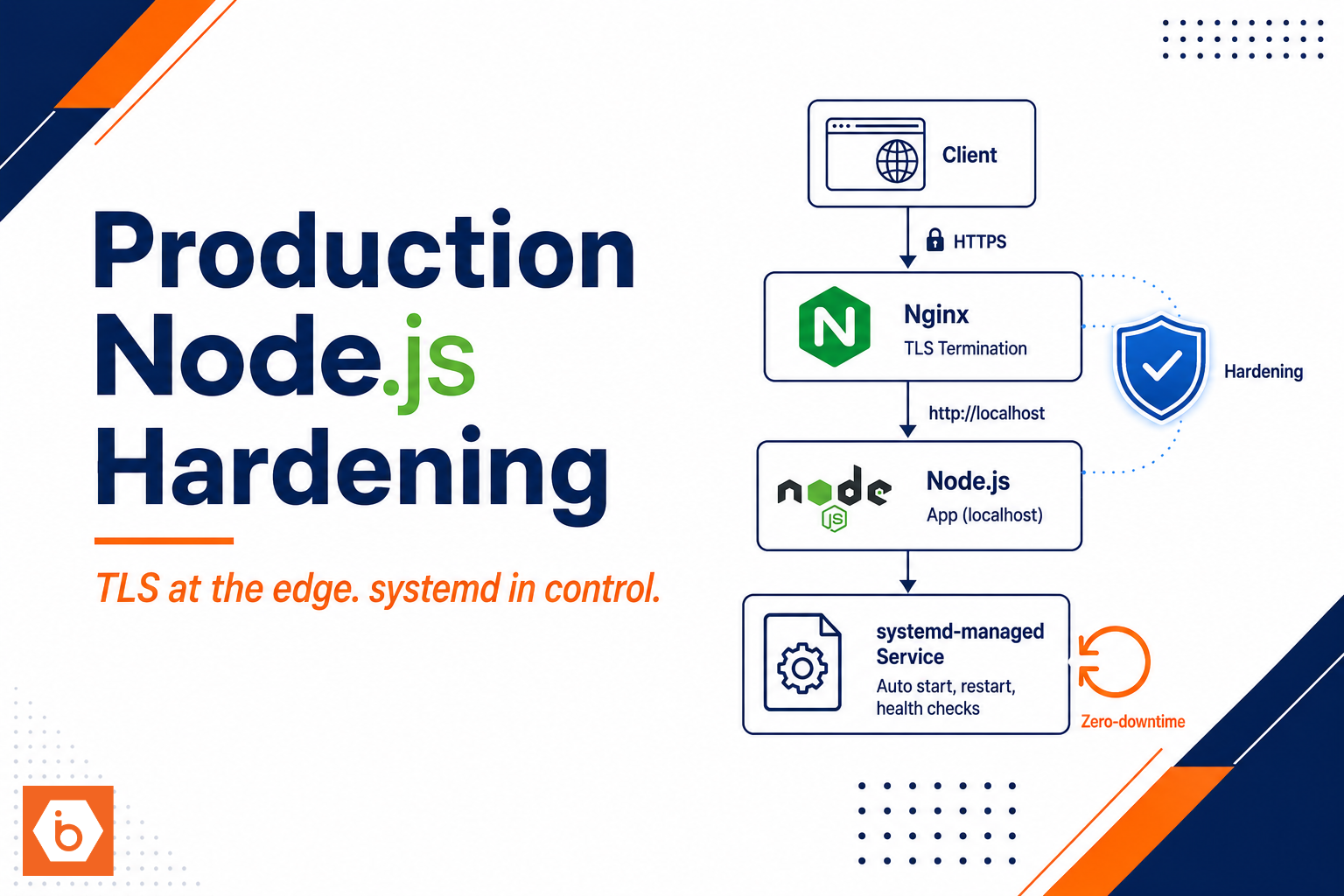
But do not confuse “containers” with “Kubernetes.” You can run containers on VMs. You can run a VM-based deployment strategy with systemd, Nginx, and health checks. Kubernetes adds value only when orchestration across multiple instances reduces operational risk or improves delivery speed.
One more blunt point: most teams underestimate the amount of time it takes to make Kubernetes production-grade. They focus on YAML and forget the platform parts: networking (CNI), storage semantics, upgrade strategy, and incident response. If your team cannot answer “how do we patch the cluster without downtime” and “how do we debug stuck volumes in production,” you are not ready to buy Kubernetes complexity.
A simple decision model you can use today
You need a decision that is grounded in your app’s behavior, not your team’s preferences. Use this as a quick filter.
If your app is basically one service with stable traffic, stable dependencies, and HA you can implement with a couple of instances and a load balancer, choose a VM strategy.
If your app needs many replicas, frequent scaling, and orchestration benefits across a fleet of services, choose Kubernetes.
If you are unsure, run the “platform tax” math. Kubernetes is not just cluster cost. It is engineering time for platform setup and ongoing operations. Compare that against the engineering time it would take you to harden VM deployments: image building, patching, monitoring, log shipping, backup integration, and rollback discipline.
Most teams get this wrong when they pick Kubernetes because they want “future-proofing.” Future-proofing is a story you tell yourself while you ship platform complexity instead of product value. If you are not going to scale out to the point where orchestration matters, you are just buying a future you cannot operate today.
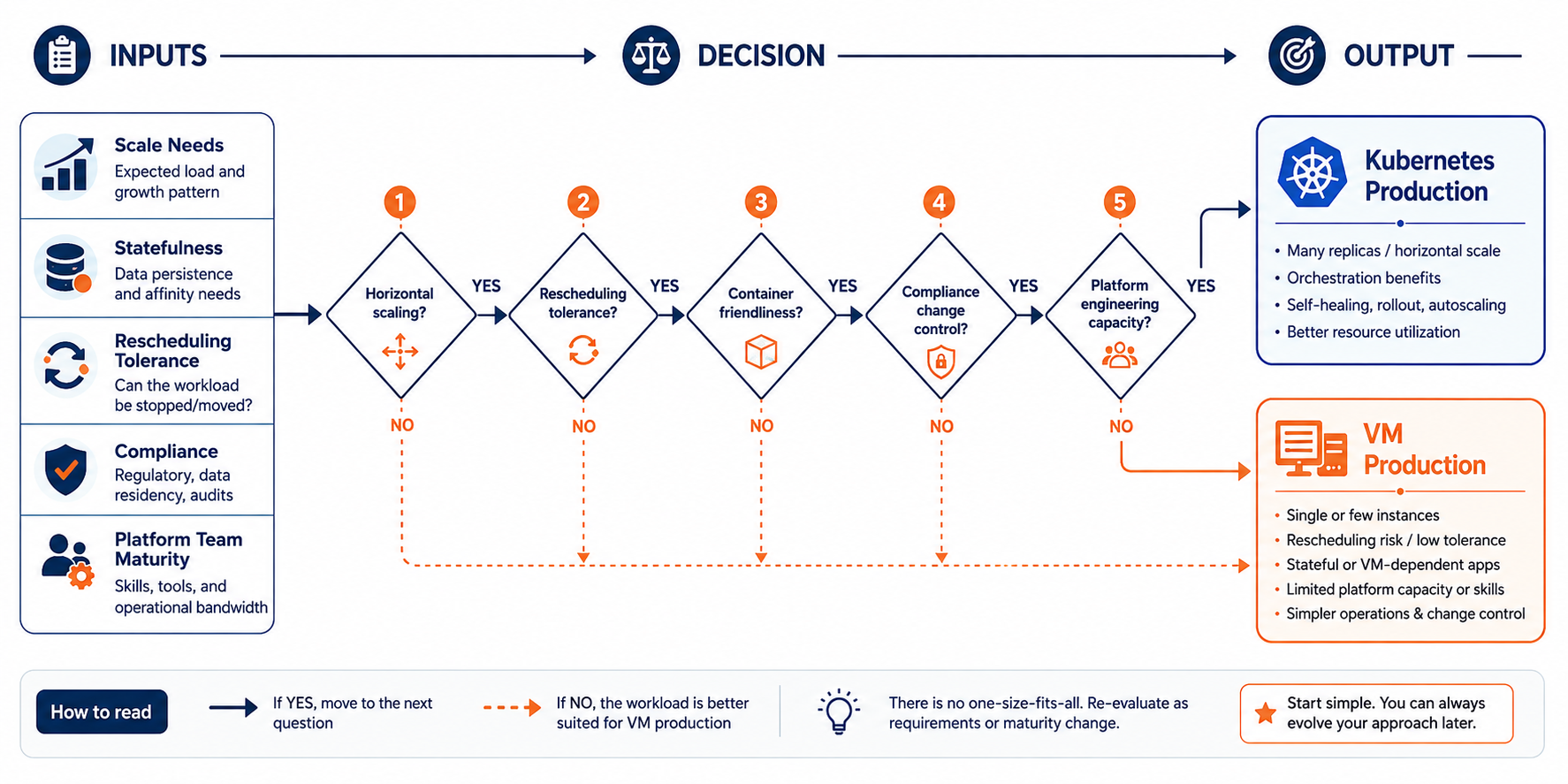
A practical flow that maps app behavior and operational capacity to VM or Kubernetes.
Real production patterns where VMs keep life simple
Let’s talk about what “VM production” actually looks like in practice, because the comparison is often fake. Teams say “Kubernetes is hard,” then compare it against “VMs are just a server.” That is not fair. VMs still need production hygiene.
A VM approach usually means you standardize on OS-level hardening, repeatable image builds, and service management. You run your app behind a load balancer, configure TLS at the edge, and use health checks to drive failover. You store state on block storage or managed storage, and you back it up with a tested restore process. You also make deployments boring: immutable images, controlled rollbacks, and alerts that tell you which layer failed.
Where VMs shine is in reducing the number of failure modes you own. Kubernetes introduces failure modes across the control plane, scheduling, networking, storage provisioning, and ingress routing. If your app does not need that machinery, you want fewer ways for production to go sideways.
There is also a cultural advantage. When incidents happen, engineers can reason about a single host’s processes, logs, and system state. Kubernetes incidents often require understanding cluster events, controller behavior, and resource reconciliation. That is not always hard, but it does require the right on-call muscle.
Here is the one real-world example you should take seriously. A medium-sized SaaS team I worked with tried to standardize everything on Kubernetes. Their onboarding time doubled, and their incident rate went up for the first quarter. They did not have platform engineering capacity. They had app engineers. After they moved two stable, single-service workloads back to VMs, their on-call load dropped because the failure surface shrank. They still used Kubernetes for the parts that truly benefited from orchestration.
How to decide without starting a platform war
You do not need a philosophical debate. You need a checklist that forces evidence.
First, write down your workload shape: number of replicas now, expected growth, whether scaling is spiky or steady, and whether your app tolerates restarts and rescheduling. If you cannot answer those, you are not making a platform decision. You are guessing.
Second, list your state model. If you have databases, queues, or storage patterns that are hard to move, treat Kubernetes stateful complexity as a real cost. You can run it, but you must design it. If your app depends on stable local behavior, VMs are a safer default.
Third, assess your team’s operational capacity. Kubernetes requires platform ownership even on managed offerings. If you do not have someone who can own upgrades, networking, storage, and security policies, do not pretend “managed Kubernetes” means “no platform work.”
Fourth, decide how you will deploy and roll back. If you already have a proven VM deployment pipeline with image builds and health checks, you are closer to production than you think. If you do not, Kubernetes will not fix that. You will just add more complexity to a broken pipeline.
Finally, do a cost and time sanity check. Choose Kubernetes when orchestration reduces operational risk or improves delivery speed across many services. Choose VMs when the platform tax outweighs the app benefit.
If you want a concrete starting point for infrastructure building blocks, IBEE can help you stand up the VM side of the decision quickly with Cloud VMs and production primitives like load balancing, block storage, and backups, so you can keep the app stable while your team decides where Kubernetes truly earns its keep.
Your next step today
Pick one production app that is currently “being Kubernetes-ized” and run this experiment in writing: document its replica count, scaling behavior, restart and rescheduling tolerance, and state model. Then decide VM or Kubernetes based on that evidence, not on team preference.
If the decision is VM, deploy it on a hardened VM baseline with load balancing, monitoring, and a tested backup and restore workflow. If the decision is Kubernetes, define the orchestration benefits you will actually use: autoscaling triggers, rolling update strategy, and how you will handle state safely. You will either earn Kubernetes the hard way or stop wasting weeks on platform overhead.