
You can tell a “production” Postgres stack by the way it fails. Not the crash. The slow death.
The migration took six weeks. Three of them were spent undoing a decision made in the first hour: “Let’s mount one disk and be done.” The team shipped. It worked in staging. Then production started timing out under load because commit latency followed disk latency, backups weren’t point-in-time, and the app opened thousands of connections until the database became a connection broker instead of a query engine.
Most teams get this wrong by treating Postgres like an app. It is not. It is a stateful system with strict durability semantics, and the failure modes show up in places you did not plan for: WAL latency, connection churn, and “we have backups” that cannot actually restore what you need.
The target architecture (what you actually need)
Your production Postgres stack has four jobs, and you design them in this order:
First, durability. WAL must hit durable storage quickly enough that commits feel “fast” to the application.
Second, recoverability. You need backups that let you restore to a point in time, not just “some old copy”.
Third, connection control. You need pooling so Postgres does not spend CPU and RAM on backend processes for every client.
Fourth, operational safety. You need monitoring and security so you notice problems before users do.
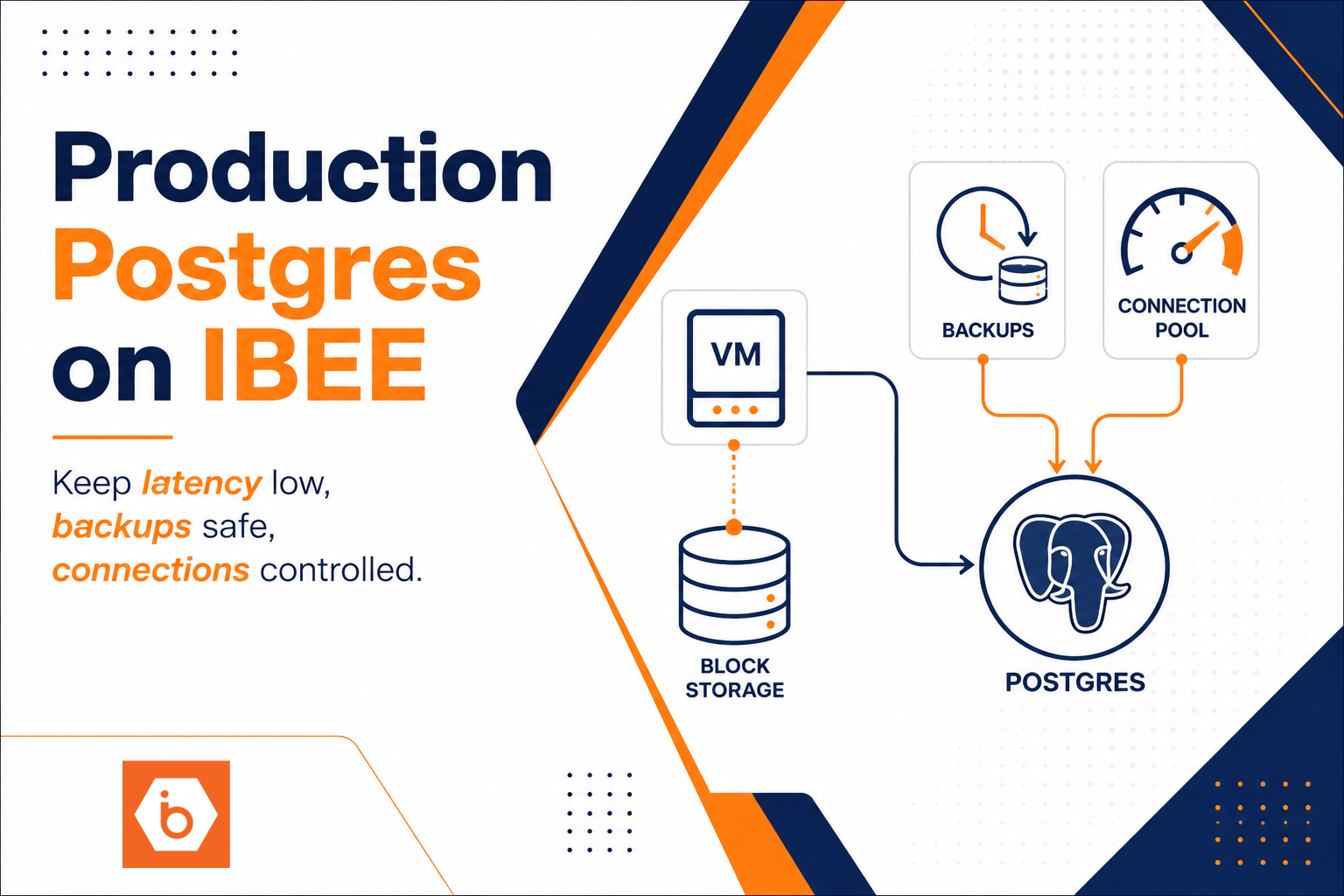
A clean topology looks like this: an app talks to a pooler (typically PgBouncer), the pooler talks to Postgres on a VM, Postgres writes to block storage (with performance-sensitive WAL), and you back up using snapshots plus WAL retention or archiving. Put a load balancer in front only if you need it for your app tier. Postgres itself does not “scale out” by adding a load balancer.
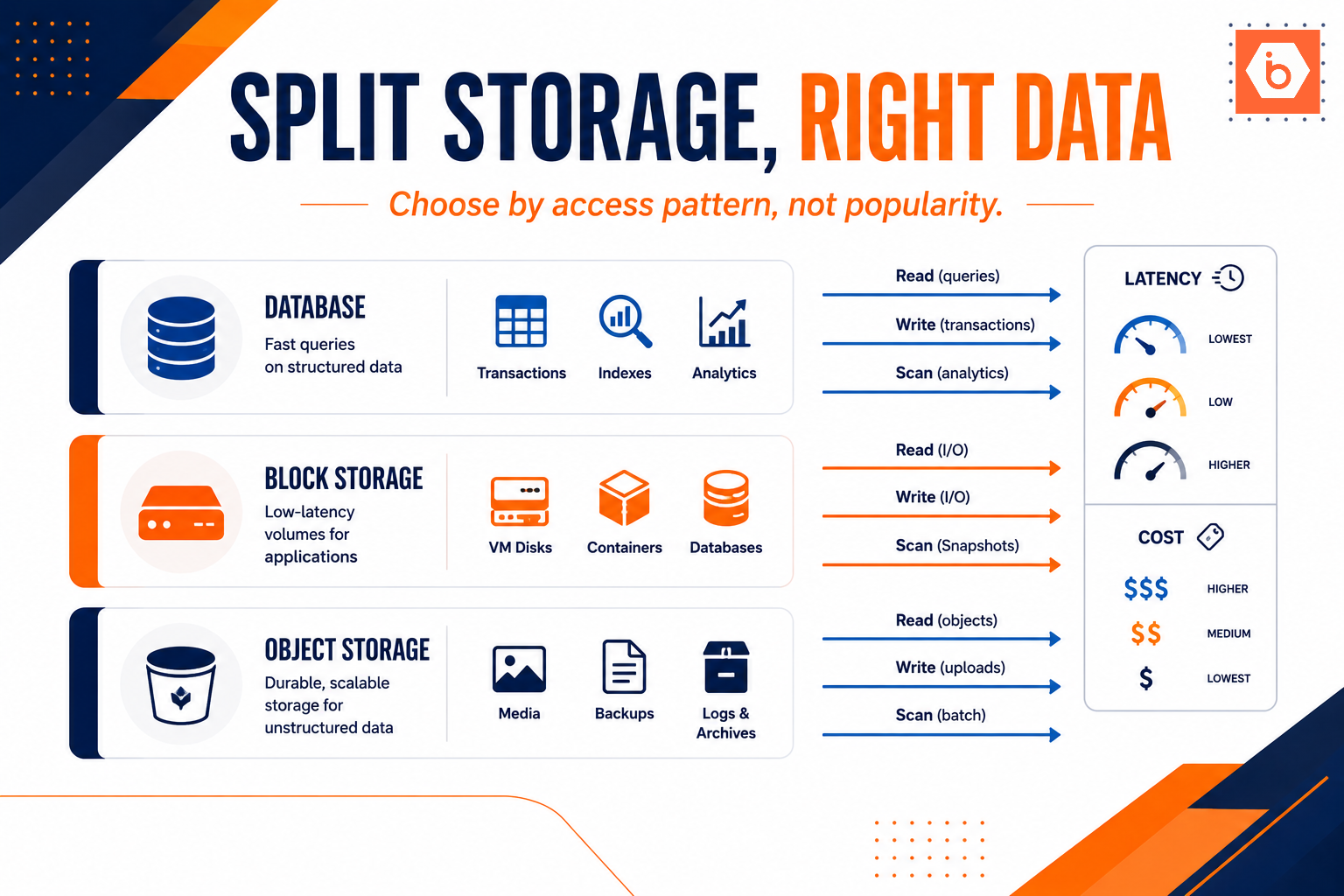
On IBEE, the building blocks map directly: Cloud VMs for Postgres compute, Block Storage for durable volumes, and Backup & Snapshots for point-in-time recovery mechanics. You still own the Postgres configuration and backup orchestration, but you do not fight the infrastructure.
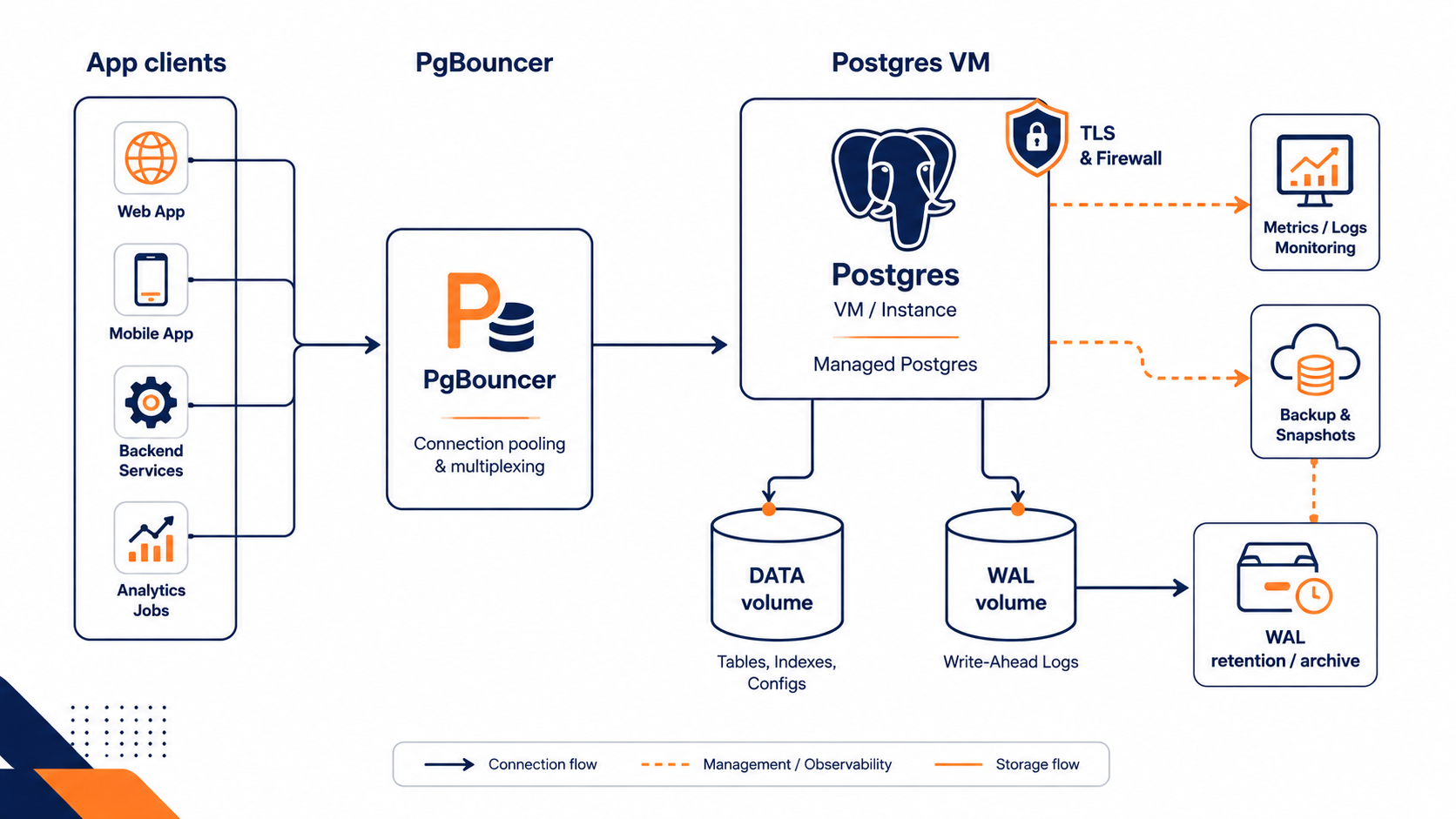
This shows the end-to-end flow from pooled connections to durable writes and recoverability.
VM and storage: optimize for WAL, not vibes
If you do one thing right, do this: treat WAL as the latency-critical path.
Postgres commits based on how safely it can persist WAL. If your WAL writes stall, your entire transaction rate stalls. People often size CPU and RAM first, then discover that the database “feels slow” even when CPU is idle. That is usually storage latency and checkpoint behavior.
VM sizing you can reason about
Start with conservative sizing, then tune using evidence:
- CPU: background workers, query execution, and index builds.
- RAM: shared_buffers plus OS page cache behavior. If you starve memory, you turn reads into I/O.
- Disk I/O: WAL throughput and fsync latency matter for commit performance.
- Network: replication traffic if you add it later, plus client traffic.
Do not overfit early. Your first goal is stability. Your second goal is performance. Use pg_stat_statements and pg_stat_activity to identify whether you have a query problem or a system problem.
Storage layout: separate data and WAL when you can
Most teams get this wrong by using a single volume for everything because it is “simpler.” Simplicity is fine until WAL contention drags data reads and writes into the same I/O queue.
A practical layout is:
- One block volume for data
- One block volume for WAL (or at least ensure WAL is on the fastest available storage)
On IBEE Block Storage, you get NVMe-backed performance with high IOPS and throughput. That helps, but it does not remove the need to keep WAL isolated from noisy neighbors.
Filesystem and mount choices
You want a filesystem and mount setup that preserves Postgres durability expectations. Avoid exotic mount options that change write ordering or disable barriers. If you are not sure, keep defaults and test.
Also plan for checkpointing. Checkpoints can create bursty write patterns. When you see periodic latency spikes every N minutes, that is often checkpoint pressure interacting with your storage.
Backups and PITR: snapshots alone are not a strategy
Backups fail in two ways: they are not consistent, or they are not restorable to the point you need.
Decide your recovery goal, then design for it
You need to answer two questions:
- How far back can you tolerate losing data? (RPO)
- How fast do you need to recover? (RTO)
Then configure Postgres accordingly. For point-in-time recovery, you need:
- A base backup (often daily or more frequent)
- WAL segments retained or archived long enough to reach your target time
Snapshots can be a base backup mechanism, but you must ensure they align with Postgres expectations. If your snapshot is taken without a consistent view of the data directory and WAL state, you will restore a broken timeline.
Snapshot vs WAL archiving
Here is the trade-off:
- Snapshots are fast to take and restore, great for base recovery points.
- WAL archiving/retention lets you replay changes between snapshots to reach an exact timestamp.
You usually combine both. Snapshot gives you the “anchor.” WAL gives you the “time travel.”
A practical target: daily snapshots plus WAL retention for at least your worst-case recovery window. If you cannot articulate the window in hours or days, you are guessing.
Test restores like you mean it
Backups you never restore are fiction. Do at least one restore test per release cycle, and one full “restore to a specific timestamp” test. You do not need to do it on every day. You do need to do it often enough that you trust it.
If you want a single metric to drive this, track restore time and “time-to-first-usable-db.” That tells you whether your backups are operationally real.
Pooling: stop connection storms before they hit Postgres
Postgres creates a backend process per connection. That sounds fine until your app scales horizontally, you deploy frequently, or you use short-lived connections. Then you get connection storms.
A pooler like PgBouncer sits in front and multiplexes many client sessions onto fewer server connections. This reduces:
- Connection establishment overhead
- Backend memory pressure
- Context switching and scheduler overhead
Pooling mode matters
PgBouncer has pooling modes:
- Session pooling keeps a server connection for the duration of a client session.
- Transaction pooling reuses server connections per transaction.
Transaction pooling can improve throughput, but it has compatibility constraints. If your app uses session-level state in ways you did not intend, you will break things. Session pooling is safer for first deployments.
Most teams get this wrong: “we’ll just increase max_connections”
That is the classic failure. When you raise max_connections, you also raise the memory and CPU cost of having many backends. You end up with a database that is technically “accepting connections” while doing less useful work.
Instead, cap connections at the pooler, then tune Postgres for the number of active connections you expect under peak.
A good rule of thumb: start with a pool size that matches your Postgres capacity, then validate with load tests. If you do not load test, your “pool size” is a guess.
Security and operational guardrails you cannot skip
You can have the best storage and still fail due to access and visibility.
At minimum:
- Enforce TLS for client connections.
- Restrict network access with firewall rules so only your app tier can reach Postgres.
- Store credentials in a secrets manager, not in environment variables baked into images.
- Enable logging and metrics so you can see connection spikes, slow queries, WAL write latency, and replication or archiving failures.
Also decide who owns what during incidents. If WAL archiving fails, you may not notice until you try a restore. So alert on archiving lag and retention health, not just “CPU is high.”
If you run Kubernetes or an API gateway in front of your app, keep the DB tier boring. Put intelligence at the edge. Postgres should be a deterministic service, not a place where you debug routing.
A concrete build plan you can execute today
You do not need a month-long platform project. You need an ordered checklist.
- Provision one Postgres VM and attach two Block Storage volumes: one for data and one for WAL.
- Put a PgBouncer pool in front of Postgres. Start with session pooling unless your app is proven transaction-safe.
- Configure Postgres parameters for durability and performance, then validate with a small load test focusing on commit latency.
- Implement backups as: daily snapshots plus WAL retention or archiving for your recovery window.
- Run a restore test to a specific timestamp, not just “restore latest,” and measure time-to-ready.
- Turn on monitoring and alerting for: connection count, slow queries, WAL archiving/retention health, and storage latency indicators.
If you do only one thing today: write down your RPO and RTO, then adjust your backup and WAL retention plan until a restore to “X time” is guaranteed within that window.