
A Practical Framework for Early-Stage Database Decisions
Most database decisions at early-stage startups are made the wrong way. An engineer picks what they know, or what they saw at their last job, or what was trending on Hacker News that month. Three years later the architecture is fighting the product instead of supporting it.
This is a framework for making that decision deliberately — starting from your product's access patterns, not from what is popular.
Start With the Access Pattern, Not the Database
The single most important question is not "which database is popular" or "which one scales." It is: how will your application read and write data?
Write that down before opening any documentation. If you cannot describe your access pattern in one sentence, you are not ready to pick a database yet.
Examples of good access pattern descriptions:
- "We look up a user record by user ID on every authenticated request"
- "We query orders by customer, filtered by date range and status, sorted by recency"
- "We store one event per user action and never update events, only append"
- "We search for products by similarity to a user's browsing history"
- "We retrieve the same dashboard data for thousands of concurrent users per minute"
Each of these points at a different database type or caching strategy. The access pattern is the spec. The database is the implementation. Getting this order backwards — picking the database first, then fitting your access patterns to it — is the root cause of most painful database migrations.
If you have multiple features with different access patterns, write down the primary one first. Secondary patterns can often be handled by the same database with a different schema or index design, or added as a separate layer once the core product is stable.
The Four Questions
Run your access pattern through these four questions in order. Stop at the first match.
1. Is your data structured with relationships between entities?
Start with Postgres. It is the right default for almost every early-stage startup. It handles structured data, flexible queries, and ACID transactions. It supports joins, foreign keys, constraints, and composite indexes. Before reaching for anything specialised, ask honestly: can Postgres with the right schema design, indexes, and a read replica handle this? At seed and Series A stage, the answer is yes in the vast majority of cases.
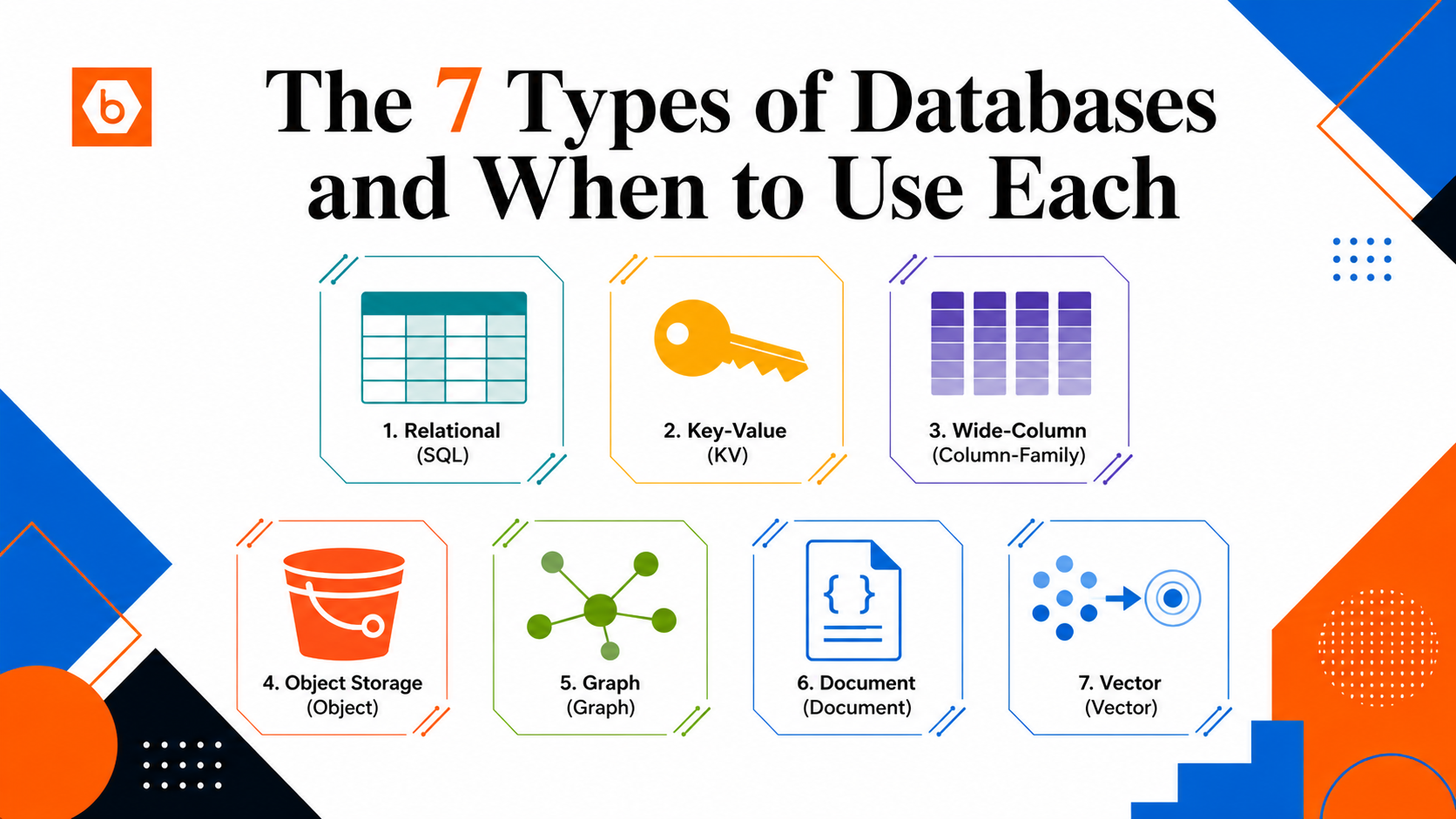
The extension ecosystem is worth understanding before you conclude Postgres cannot do something. pgvector gives you vector similarity search inside Postgres with no extra infrastructure. TimescaleDB handles time-series workloads on top of Postgres. pg_partman manages table partitioning. These extensions let most startups stay on a single database longer than they expect.
The teams that regret choosing Postgres are almost always teams that misused it — missing indexes, no connection pooling, storing binary blobs in columns, running unbounded queries. The teams that regret not choosing it usually over-optimised for scale problems they did not yet have.
2. Is your primary access pattern a single-key lookup at very high volume?
Add Redis alongside Postgres — not instead of it. Redis is an in-memory key-value store built for speed. Single-key lookups, session storage, rate limiting, real-time counters, and caching expensive Postgres query results are all excellent Redis use cases.
Do not treat Redis as a database of record. By default it is not fully durable — a restart or misconfiguration can lose data. Use it to accelerate reads and reduce load on Postgres, not to replace Postgres.
3. Is your workload massively write-heavy and append-only with a small, fixed set of query patterns?
Only if you have genuinely outgrown a well-tuned Postgres setup should you consider wide-column stores like Cassandra or Bigtable. These are exceptional for time-series event logs, IoT telemetry, and activity feeds at massive scale. But they require you to design your schema around your query patterns upfront — you cannot add ad-hoc queries later. And they are operationally complex. Most startups are not at the scale where this trade-off makes sense.
4. Is your data a file, a blob, or binary content?
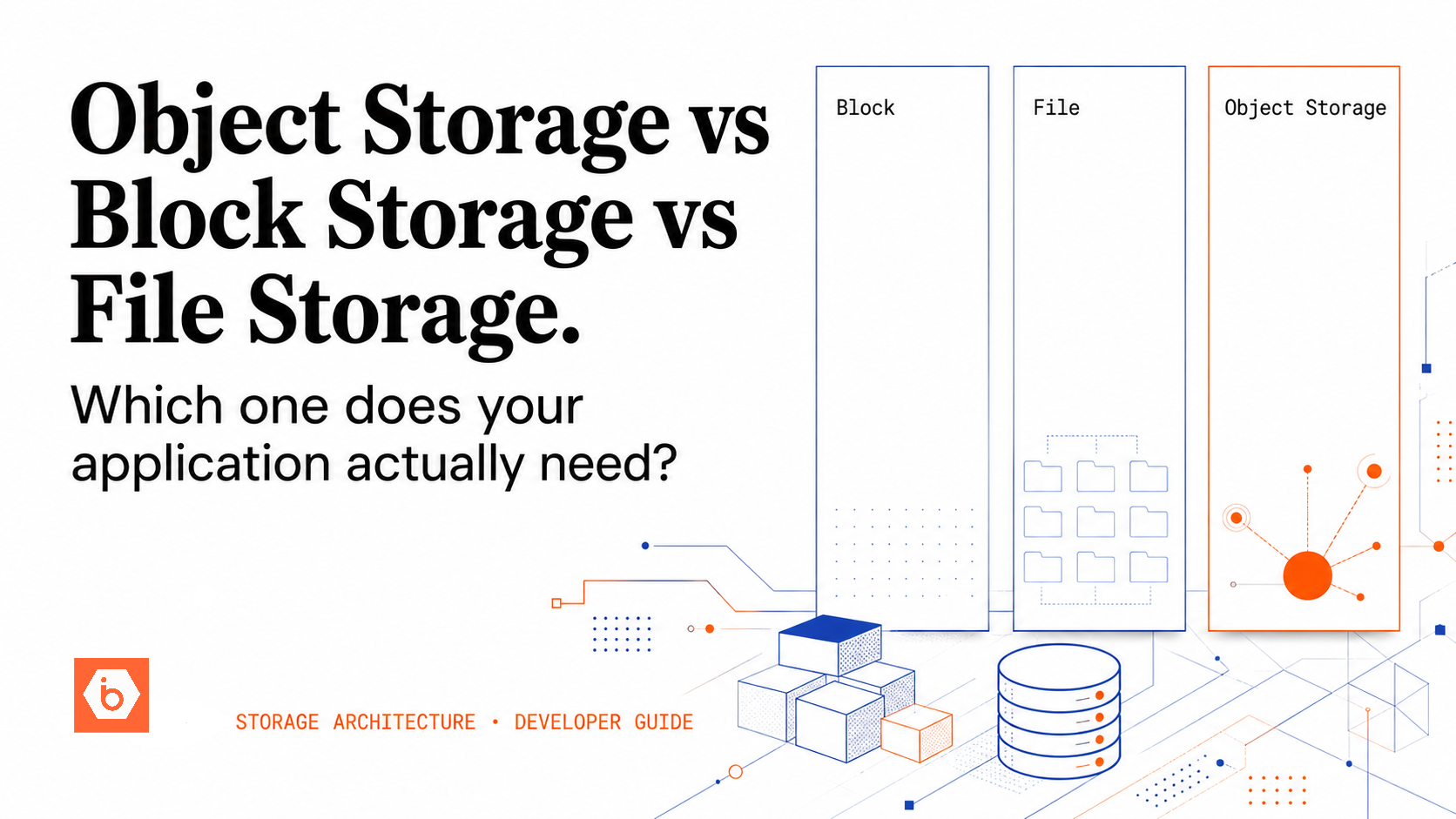
This is not a database problem — it is an object storage problem. Images, videos, PDFs, model weights, backups: these belong in S3-compatible object storage, not in Postgres. The cost difference alone justifies it: object storage like IBEE runs at Rs.1.5/GB per month for storage and Rs.2/GB for egress, versus Rs.15–25/GB for managed Postgres storage. Ingress is free. That is a 10x cost difference on storage alone, compounding every month you delay the migration.
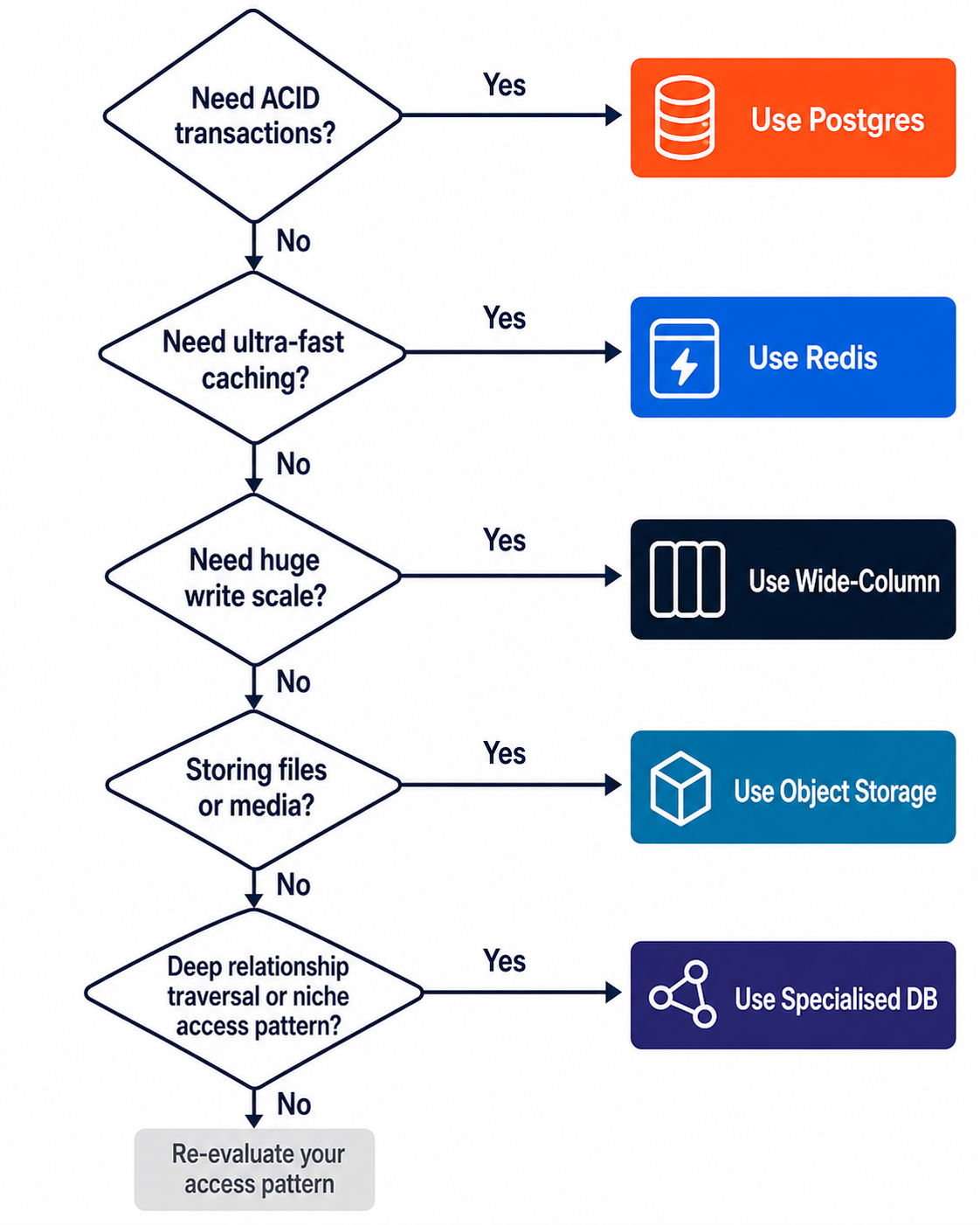
A clean developer decision tree for choosing the right storage layer.
The Startup Database Stack
Add layers in this order, and only when you need them.
- Postgres on day one. Use it for everything structured. Add a connection pooler when you have multiple app instances. Add a read replica when read latency grows despite indexing. Use migrations from day one — schema changes without version-controlled migrations become painful fast. Most startups go from zero to Series A on Postgres alone if it is set up correctly.
- Object storage as soon as users upload anything. Use an S3-compatible provider. Store only the key or URL in Postgres — never the file itself. IBEE's free tier gives you 25 GB storage and 50 GB egress per month at no cost, with no payment method required to start. Once you grow past that, you pay Rs.1.5/GB per month for storage and Rs.2/GB for egress — no subscriptions, no lock-in, and no minimum commitment. Uploads are free, and internal traffic within IBEE infrastructure is free. Compare that to AWS S3's egress at Rs.6.75/GB for Indian traffic, on the same S3-compatible API your code already uses.
- Redis when you have a concrete caching or session problem. Not before. Speculative caching adds cost, stale-data bugs, and complexity without proportional benefit. Add Redis when you can point at a dashboard and say: this specific query pattern is the problem, and Redis will fix it.
- pgvector before a dedicated vector database. It handles large vector workloads inside Postgres with no extra infrastructure. Only move to Pinecone, Weaviate, or Qdrant when pgvector is demonstrably insufficient for your query volume — which is later than most teams expect.
- Specialised databases only when forced. Graph databases, wide-column stores, dedicated time-series databases — add these only when a specific access pattern has conclusively outgrown the layers above. Most startups never reach this point. The teams that do are usually running at a scale where the operational investment is clearly justified.
The Mistake That Causes the Most Pain
Storing user-uploaded files in Postgres. It works at small scale and becomes a serious problem at medium scale. Backup times balloon from minutes to hours. Query performance degrades on unrelated tables as autovacuum struggles with large rows. Schema migrations on blob-heavy tables become slow and risky. And migrating blobs out later is weeks of engineering work — touching every file read/write path in your application, running a row-by-row data migration, updating all the URLs, and coordinating a production cutover with no data loss.
The cost difference makes this worse in retrospect: Rs.1.5/GB per month in object storage versus Rs.15–25/GB in Postgres, compounding every month until you fix it. For a startup storing 500 GB of user media, that is a difference of Rs.750 per month versus Rs.7,500–12,500 per month — for the same data.
Do it right on day one. Upload to object storage, get back a key, store the key in Postgres. Your database stays lean, your queries stay fast, your backups stay manageable, and your storage bill stays rational.
When to Revisit Your Architecture
Database architecture is not a one-time decision. But it is also not worth revisiting constantly — architectural churn has a real cost in engineering time and operational risk. Revisit when you hit concrete triggers, not on a calendar:
- Query latency rises despite proper indexing and profiling confirms the database is the bottleneck
- Write throughput causes lock contention that visibly affects read performance
- Storage costs grow faster than revenue and the growth is concentrated in the database layer
- A new feature has a fundamentally different access pattern from existing ones — a recommendation engine, semantic search, a real-time activity feed
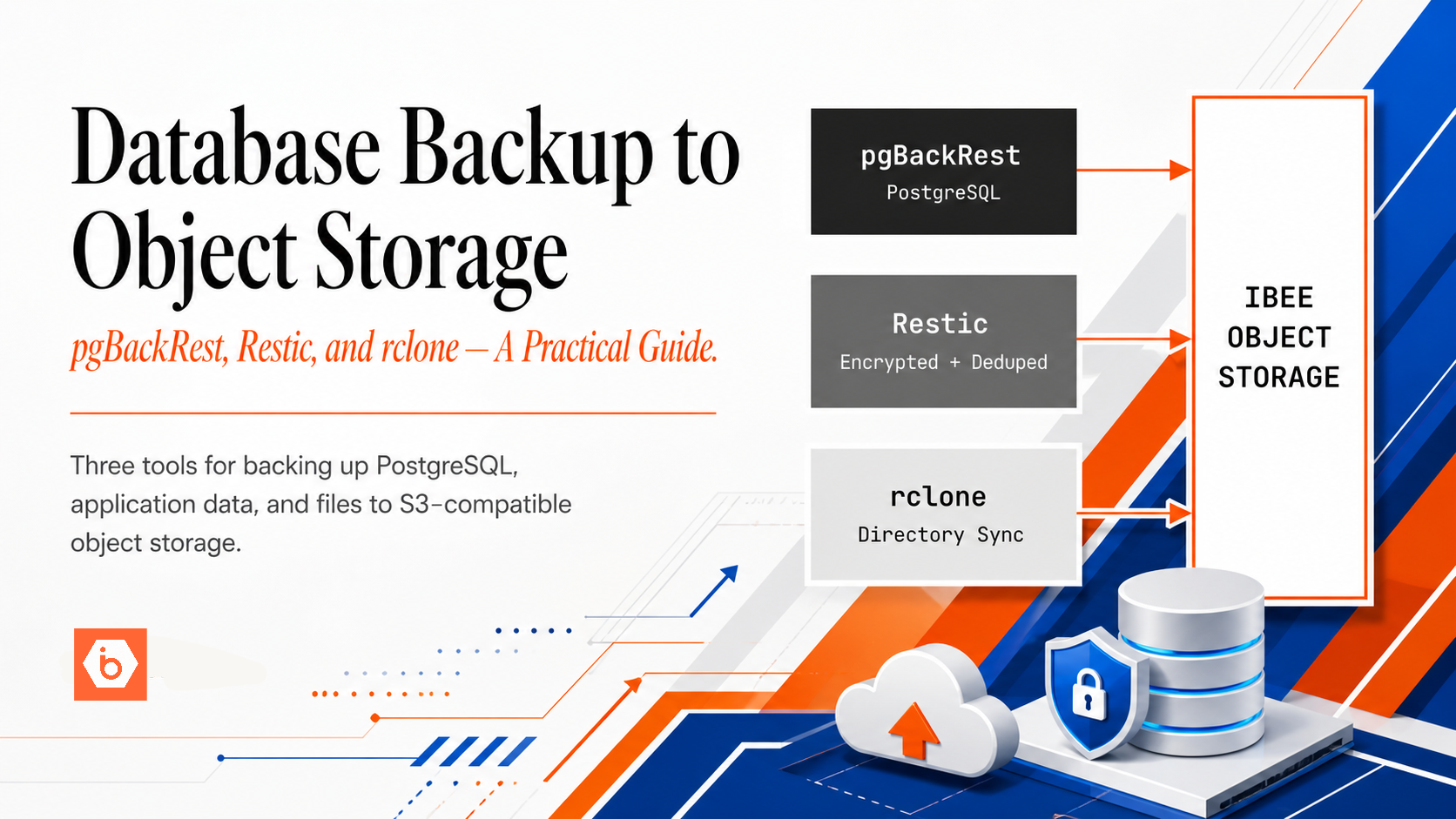
- Backup and restore times are growing to the point where your recovery time objective is at risk
At each trigger, exhaust simpler options first: better indexes, query tuning, vertical scaling, read replicas, caching. Only then introduce a new database type. Every new database in your stack adds operational complexity, on-call surface area, and onboarding time for new engineers. That complexity has a real cost — treat it accordingly.
Simpler is correct for far longer than most engineers expect.