
Why a Single Bucket Is the Wrong Starting Point
Most product teams start by creating one S3 bucket and putting everything in it. Product images, user avatars, document uploads, marketing banners, generated reports: all in the same bucket, accessed by the same credentials, with no separation of concerns.
This works at small scale. At medium scale it creates three problems: access control is all-or-nothing, meaning any service with bucket access can read any object regardless of whether it should; lifecycle management becomes impossible to apply selectively, meaning you cannot expire user-generated thumbnails without risk of expiring product images; and cost attribution is opaque, meaning you cannot tell which product feature is driving storage growth.
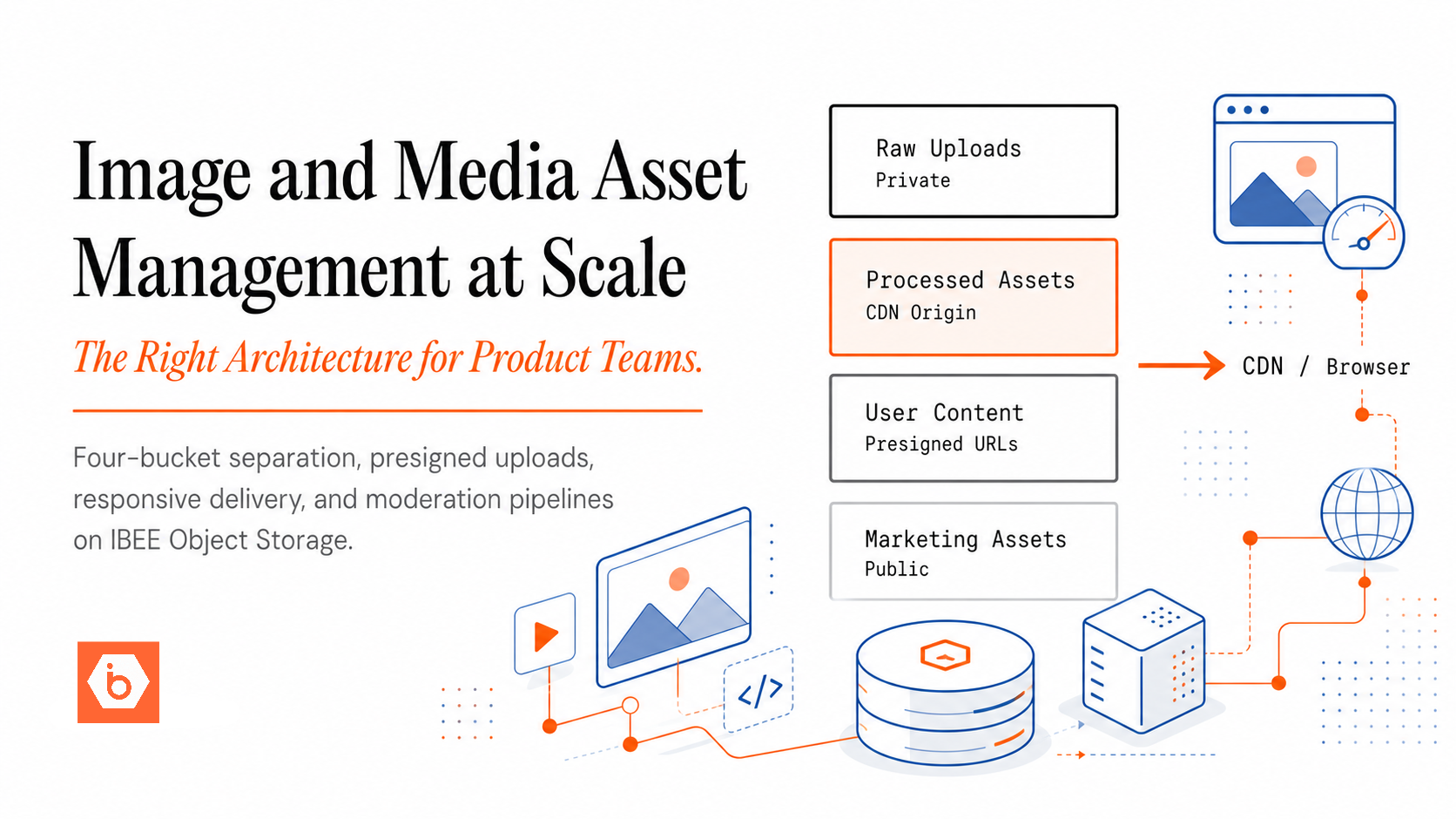
The correct architecture separates media by type and access pattern from the beginning. The diagram below shows how the four buckets relate to each other and to the services that read and write them.
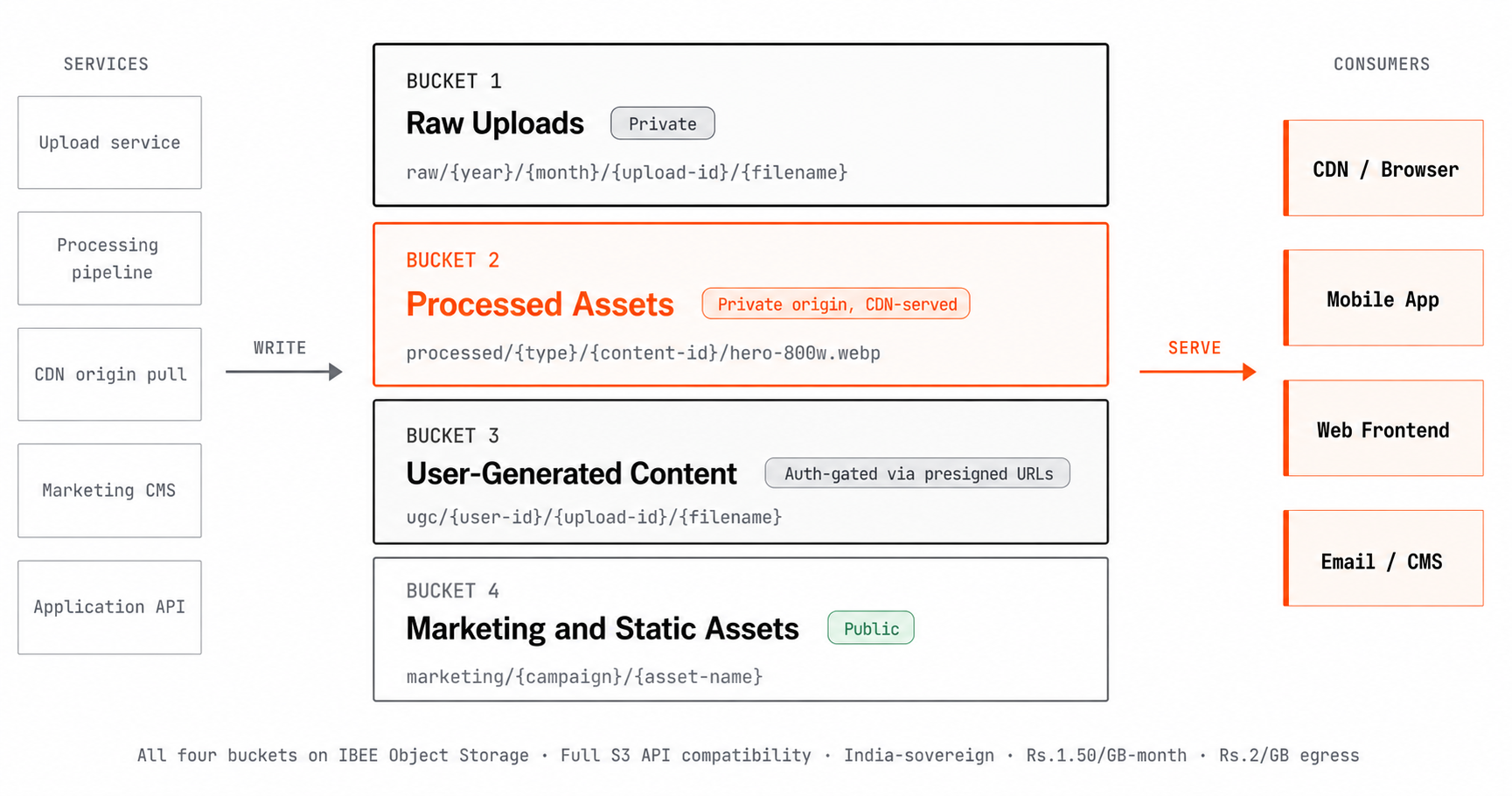
Four buckets, four access models. Raw uploads are private archive.
The Four-Bucket Media Architecture
Bucket 1: Raw Uploads (Private)
Every user upload, every content team upload, every API-delivered file lands here first, in its original format and unmodified. This bucket is private with no public access. Write access is restricted to the upload service only, and read access to the processing pipeline only.
The raw bucket is the archive layer. If a processing step produces incorrect results, reprocessing happens from raw. If a user disputes a moderation decision, the original unmodified file is available for review. Raw files are never deleted automatically. They are the ground truth record of what was received. A sensible key structure encodes the upload date and a unique upload ID, for example raw/{year}/{month}/{upload-id}/{original-filename}, making it easy to locate any upload by time range.
Bucket 2: Processed Assets (Private Origin, CDN-Served)
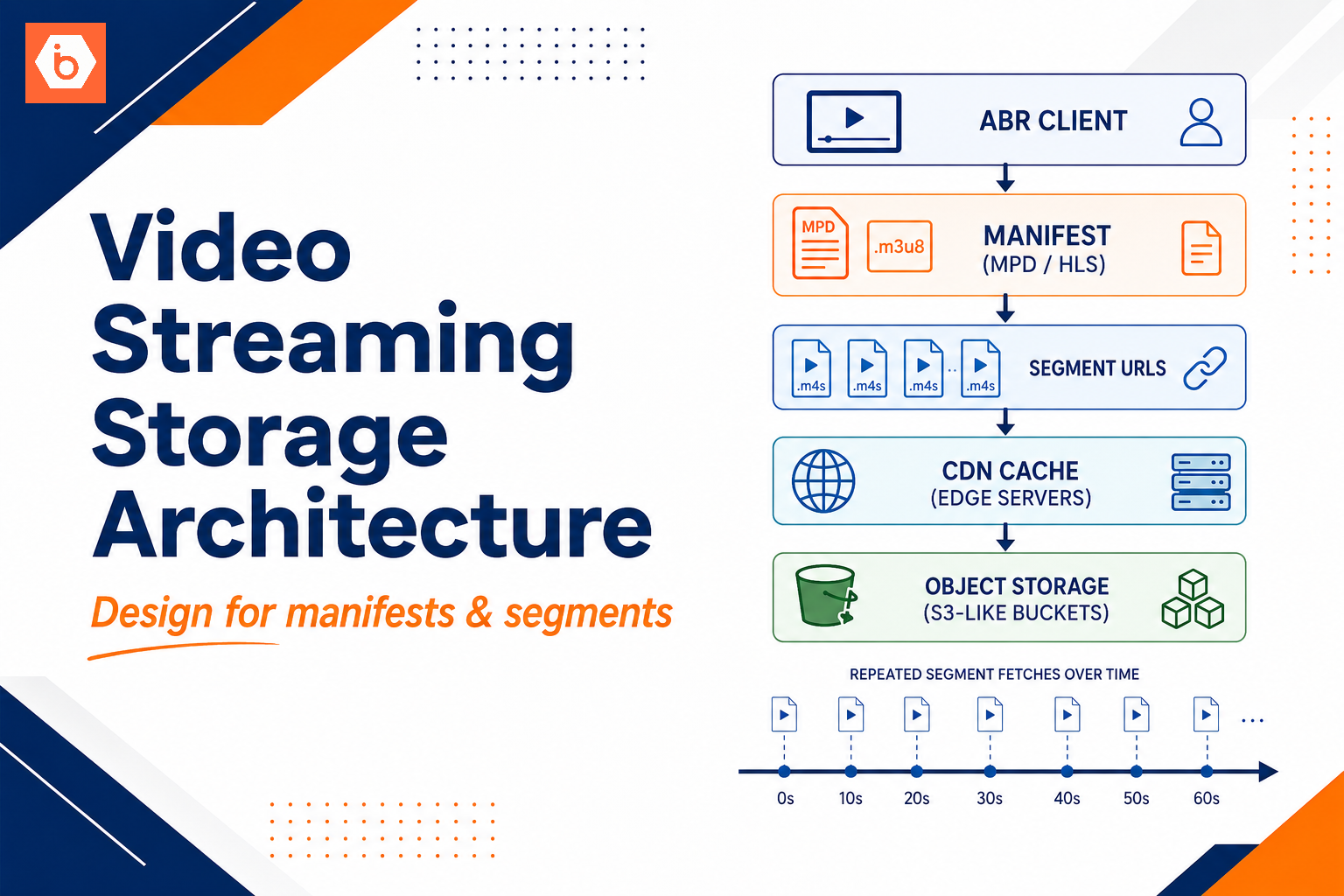
The output of the processing pipeline: resized images at standard dimensions, format-converted files such as WebP and AVIF, compressed thumbnails, video stills, and document previews. This bucket is the CDN origin. It is not directly publicly accessible. The CDN fetches from it, caches the result, and serves subsequent requests from cache.
Key structure encodes content type, content ID, and variant name: for example processed/products/prod-abc123/hero-800w.webp and processed/products/prod-abc123/thumb-200w.webp. This makes it straightforward to list all variants for a given product and to invalidate CDN cache for a specific product when its images are updated.
Bucket 3: User-Generated Content (Private)
User profile photos, review images, and user-submitted documents require a separate bucket because the access model differs from product images. User-generated content often requires authentication-gated delivery via presigned URLs, while product images are public. Keeping these separate allows lifecycle policies to be tuned independently: delete thumbnail variants of deleted user accounts, expire temporary upload previews, and apply different retention rules for user documents versus user photos, without touching any other bucket.
Bucket 4: Marketing and Static Assets (Public)
Campaign images, brand assets, email template images, and UI icons are entirely public, change infrequently, and are maintained by a non-technical team. A separate bucket means separate access credentials, so the marketing team's deployment process can write to this bucket without any risk of touching product or user data.
The Upload Pipeline
For user and content uploads, routing uploads through your application server is a performance and cost problem at scale. When a user uploads a 10 MB product image, having that upload transit through your application server wastes server resources and adds latency between the user and the storage layer.
Use presigned POST uploads instead. The API generates a presigned POST policy for the raw uploads bucket: a set of signed form fields that authorise the client to upload directly to IBEE for a defined time window, typically 5 to 15 minutes. The API records a pending upload entry in the database with the expected key. The client uploads directly to IBEE using the presigned policy. IBEE accepts the upload and stores the file. The API confirms completion by checking the database record or verifying the object exists at the expected key.
The presigned POST policy can include conditions: a maximum file size using content-length-range, allowed content types using content-type starts-with, and the specific bucket key the upload must use. This prevents clients from using the policy to upload to unexpected keys or with unexpected content types. The upload flow is shown in the diagram below. Full presigned POST configuration for IBEE is at ibee.ai/docs.
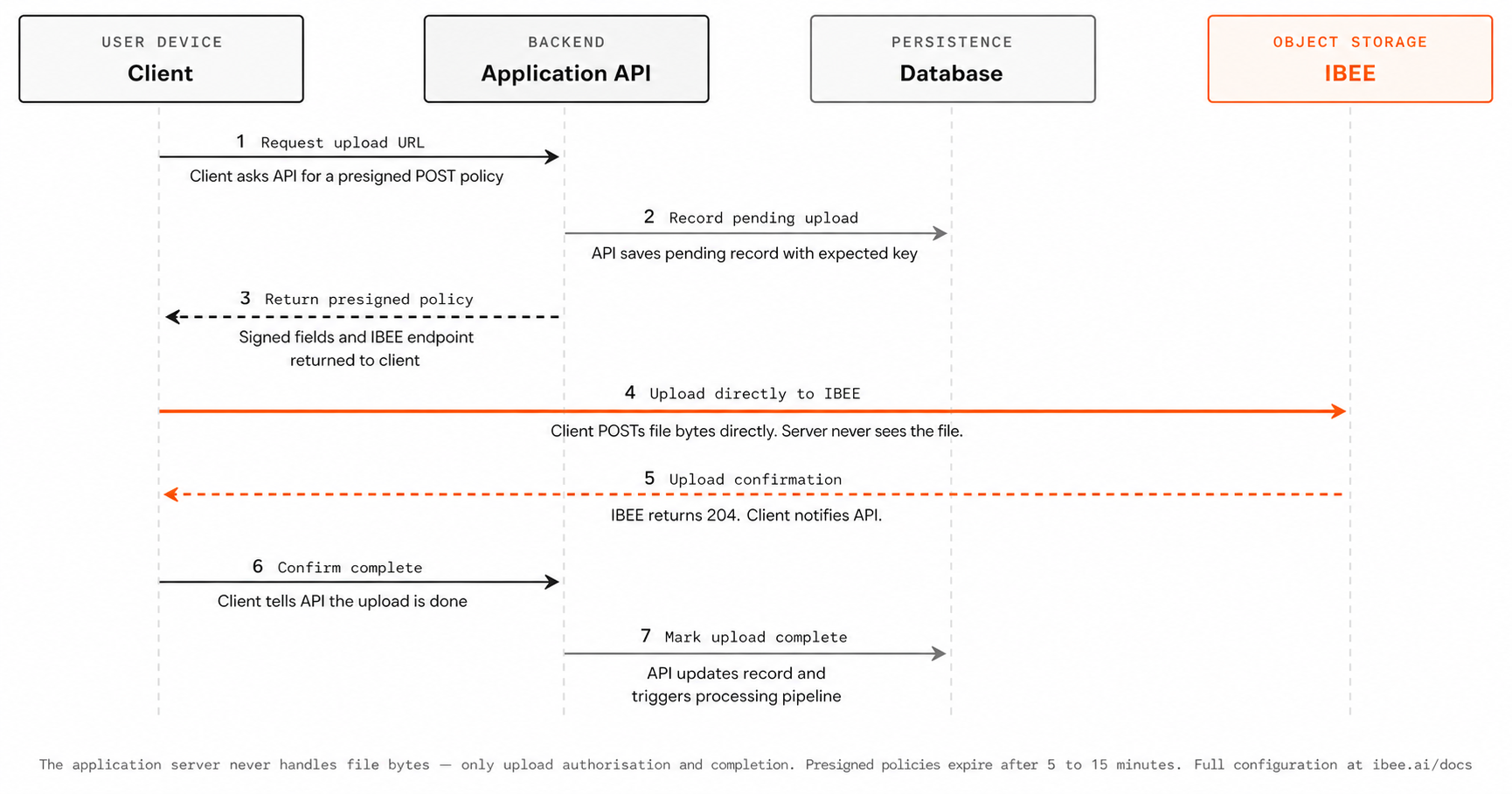
The client uploads directly to IBEE using a short-lived presigned policy.
The Processing Pipeline
When a new upload arrives in the raw bucket, the processing pipeline triggers. The correct trigger mechanism is event-driven, not polling.
Configure the raw bucket to publish object creation events to a message queue. A processing worker consumes events from the queue and runs the appropriate pipeline for the content type: image resizing and format conversion for photos, thumbnail extraction for videos, text extraction for documents, and virus scanning for any user upload. Processed variants are written to the processed assets bucket with an immutable Cache-Control header, which tells the CDN and browser that this file will never change and can be cached indefinitely.
Because variant filenames include the content ID, which is stable, immutable caching is safe for product images. For user content that can be updated, such as profile photos, use versioned keys that change when content changes rather than overwriting the existing object. Processing pipeline configuration examples are at ibee.ai/docs.
Responsive Image Delivery
Serving the correct image size to each device reduces page load times and egress costs. A 1200px hero image served to a mobile device with a 390px display wastes bandwidth and slows rendering.
The HTML srcset attribute tells the browser about available sizes and lets it choose the most appropriate variant. A mobile user receives the 400px thumbnail. A desktop user receives the 1200px hero. The difference in file size between the smallest and largest variants is typically 5 to 10 times, which translates directly into egress cost. At Rs.2/GB ($0.021/GB) on IBEE, serving the correct variant compounds into meaningful savings at scale. Full srcset implementation examples are at ibee.ai/docs.
Moderation Pipeline for User-Generated Content
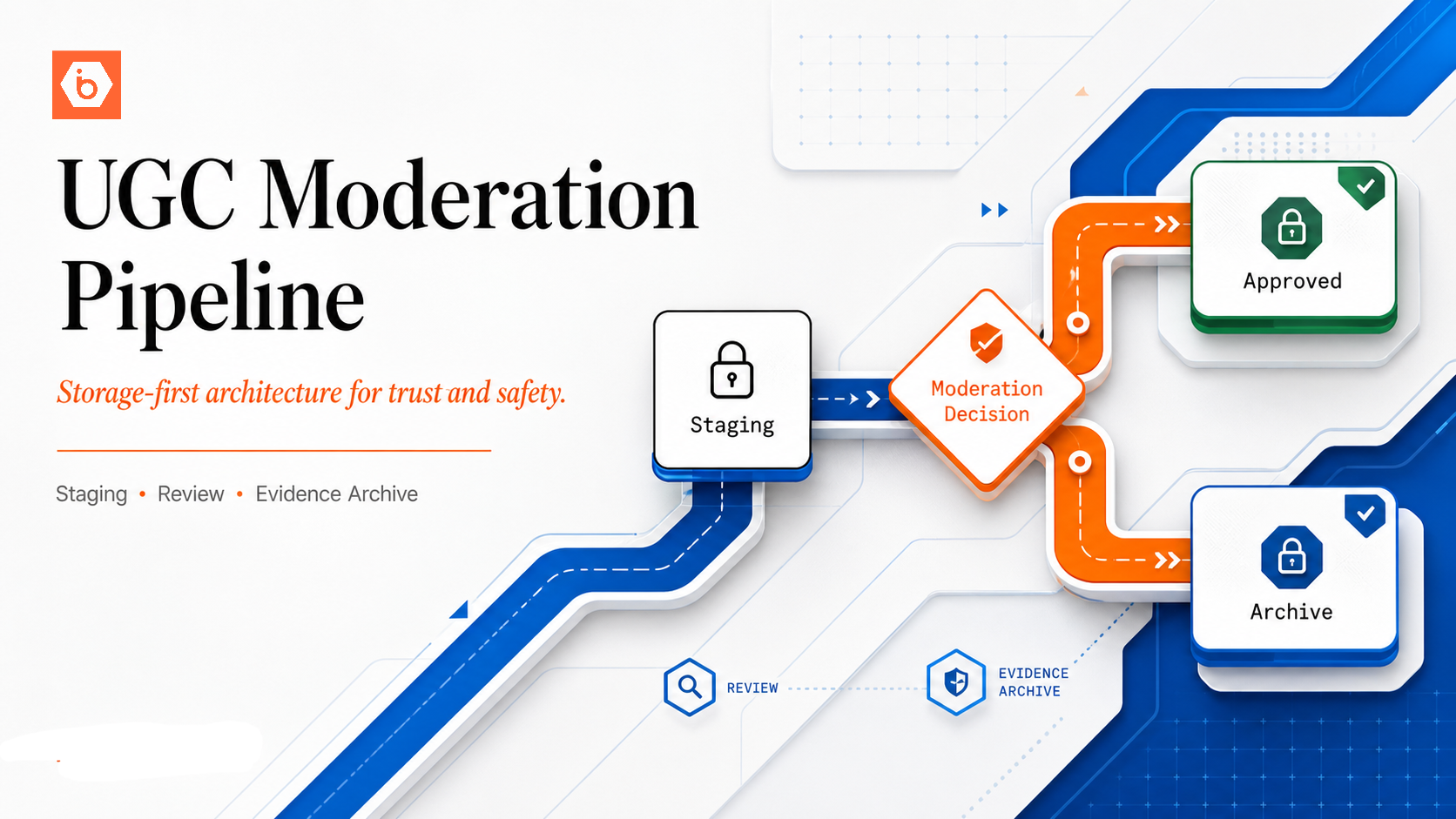
User-uploaded content requires moderation before it is surfaced to other users. Uploads land in the user-generated content bucket with a status: pending tag. The processing pipeline triggers automated content classification, including NSFW detection and format validation, followed by human review for edge cases. Approved content receives a status: approved tag and becomes accessible. Rejected content is flagged and the upload record is updated with a rejection reason.
Presigned URLs for user content are only generated for approved content. The application layer checks content status before generating access URLs, ensuring pending and rejected content is never served to other users even if someone knows the object key. We have seen this gap appear specifically at the URL generation step: the moderation check was correctly placed on the write side, but no status check was added on the read side, which meant rejected content remained accessible to anyone who had received the URL before rejection.
IBEE for Indian Media Platforms
For Indian e-commerce platforms, marketplaces, and content companies where product images, user photos, and generated assets are a high-egress workload, IBEE's combination of Rs.2/GB ($0.021/GB) egress, sub-5ms latency for Indian users, and India-sovereign storage provides the cost and compliance foundation for a media asset architecture that scales with the business.